Prestashop Price Calculator | Dynamic Pricing | Sell by Length, Width, Area

Prestashop Price Calculator Module

Prestashop Price Calculator | Dynamic Pricing | Sell by Length, Width, Area

  • best module Custom Price Calculator
  • version PrestaShop
    v1.6-v1.7-v8.x-v9.0

Prestashop's Unit Price Calculator Module can be a powerful tool for companies and users selling products based on their dimensions. This module simplifies complicated pricing calculations, improves customer service, and ensures accuracy. The user can easily calculate the price of products, e.g., length, width, and area.

  1. Dynamic Pricing Calculation
  2. Weight-Based Calculation
  3. Box-based Calculation
  4. Calculate the price using area volume length/width
  5. To help square meters and other measurement units

Why Choose Us

  1. Fully responsive with multiple layout options 
  2. Best Prices and Offers
  3. Easy to Install with a User-Friendly Interface 
  4. No subscription fee
  5. Free lifetime support
  6. Facilitate lifetime update
  7. Money-Back Guarantee
  8. Verified Quality by FME Modules

Click to visit our PrestaShop Price Calculator on the Official PrestaShop Store.

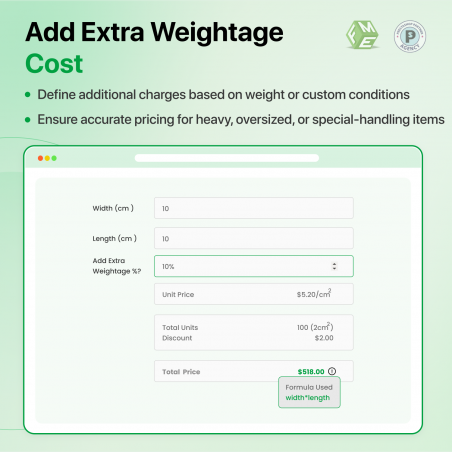
The Pricing Calculator module lets you easily and efficiently sell variable-size products. You can sell products at a per-unit price instead; rather than selling products at a fixed price, you can allow users to enter their requirements, and then our module will automatically calculate the exact price according to that size. Admin can also offer a special discount based on a specific size measurement or can also charge extra for that measurement as well.

How does the unit price calculator work?

Unit price calculation works in three steps:

Step 1: Set Price per Unit

The first thing the merchant needs to do is set the per-unit price of each product. The unit can be selected from the backend, like price per centimeter, millimeter, foot, inch, or meter, etc.

Step 2: Create Input Fields for Customers

The merchant then configures the input fields, such as length, width, height, and weight, depending on each type of product from the back end.

Step 3: Let Customers Put The Measurement Value

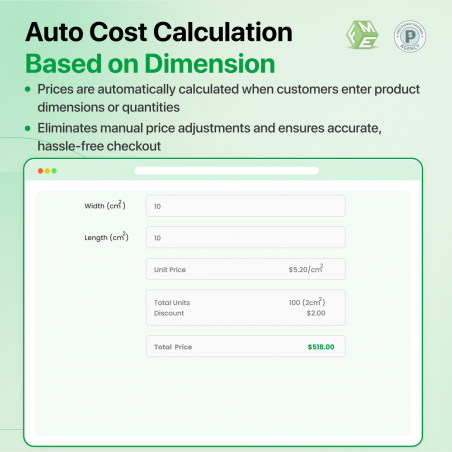
Once the customer inputs the measurement values, such as the length, width, and height of the product, this extension automatically calculates the total price of the product that the customer can add to the cart and checkout. The cost will change as the customer changes the measurement values.

Weight-based Calculation

Options include:

  • Weight
  • Area (Length * Width)
  • Area (square)
  • Volume (Length * Width * Height)
  • Length
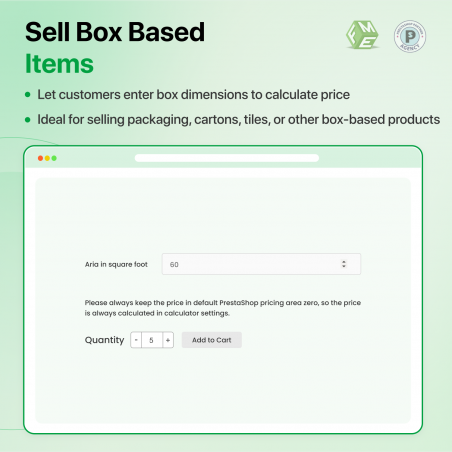
  • Box (Length * Height)

Dynamic Pricing Formula

  • Min and Max show the size range,
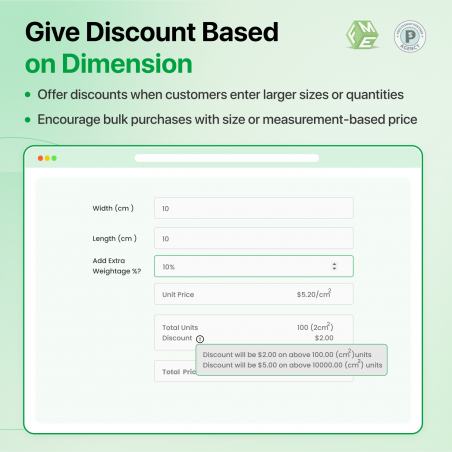
  • Two discounts: 10% for sizes between 15 and 30 and 20% for sizes above 30.
  • Area and volume of the products can be priced.
  • Discounts are set as fixed or in percentage values.

Formula

 min=10;max=45;discount=10,20;size=15,30;area;percent;

Benefits

  • Easy to use this module.
  • User-friendly module.

Real-World Case Study: Automating Custom Pricing for Estudioplast

The Challenge: Manual Quoting for Infinite Size Variations

As a manufacturer of custom plexiglass fixtures and retail signs, Estudioplast offers highly customized dimensions. Selling products by specific lengths, widths, and thicknesses created major sales bottlenecks:

  • Friction-Heavy Ordering: Customers wanting custom sizes could not buy instantly. They had to submit quote forms and wait hours for manual estimations.
  • Complex Multi-Variable Pricing: Accurately calculating final costs required factoring in area, material volume, and flat production base setup fees.
  • High Cart Abandonment: The quoting delay between requesting a size and receiving a price quote drove prospective buyers to faster-responding competitors.

The Solution: Instant Dynamic Price Calculations

By installing the PrestaShop Dynamic Price Calculator module, Estudioplast transformed its catalog into a real-time parametric ordering engine.

  • Dimensional Inputs (Area & Volume): Customers simply input their desired length, width, or thickness right on the product page.
  • Automated Formula Engine: The module instantly processes custom formulas—multiplying dimensions by material weight and factory base costs.
  • Instant Checkout: The exact price updates dynamically on the screen, letting retail and B2B buyers add bespoke items straight to their carts.

The Results: Faster Checkouts & Eliminated Admin Overhead

  • Instant B2B Purchasing: Quoting delays dropped from hours to 0 seconds, keeping buyers in the conversion funnel when buying intent is highest.
  • Zero Back-Office Overhead: The operations team saved hundreds of hours by eliminating manual math checks and custom email invoicing.
  • Increased AOV (Average Order Value): Clear, real-time pricing encouraged buyers to experiment with premium thicknesses and larger dimensions, boosting overall revenue.

Selling by length, area, volume, or weight with static pricing kills conversions. The PrestaShop Dynamic Price Calculator converts complex dimension matrices into a seamless, immediate checkout experience that saves hours of administrative work.

Features

The main key features of the Prestashop unit price calculator fme module.
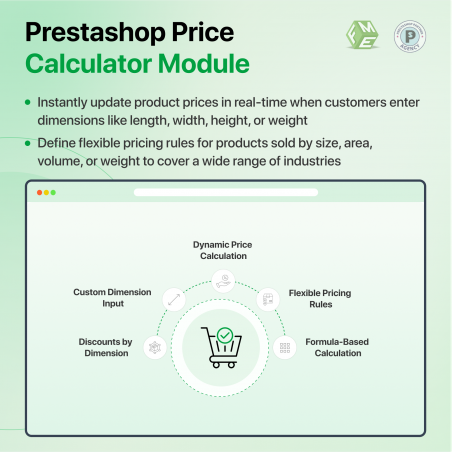
  • Calculate the price of products by unit (foot, square, and meter). Use the pricing calculator for products priced and sold by unit: foot, square meter, etc.
  • Product prices can be displayed per unit (e.g., “$1.75 / ft”, “from $3 / sq m”) in the shop and on product pages.
  • Pricing calculator dynamic weight: product weight can be set/calculated “per unit” for shipping.
  • Calculators available for all physical attributes: dimensions, area, surface area, volume, or weight
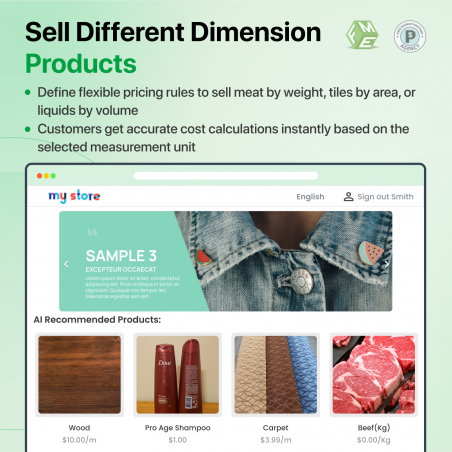
  • Sell products by weight (per gram), i.e., meat, fruits, etc.
  • Sell products by volume (per cubic meter), such as garden mulch.
  • Sell liquids (litter, ml) such as juices, milk, pure water, paint, etc.
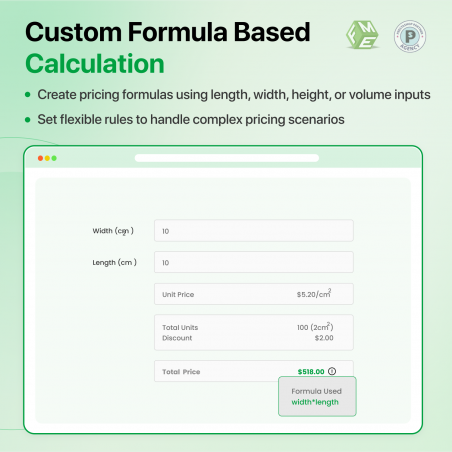
  • Sell products by creating custom formulas.
  • A powerful formula calculator lets you create custom formulas to calculate your specific pricing.
  • Offer different discounts based on minimum or maximum input size.
  • Option to select different units for input, i.e., meter, and different units for output, i.e., meter square.
  • Box calculation: sell products based on per-box pricing.
Reviews & Ratings (1)
Related Products
€89