


Maintaining clean, efficient, and secure code is crucial for the long-term success of any PrestaShop store. Following coding standards ensures that modules, themes, and customizations are easy to maintain, compatible with updates, and scalable for future growth.
In this guide, we’ll cover the coding standards and best practices every PrestaShop developer should follow in 2026 to deliver high-quality, professional eCommerce solutions.
Why Coding Standards Matter

Most PrestaShop stores will be developed by multiple developers or on-board a set of modules, configurations, and customizations. The absence of unified guidelines can lead to disorganized, unmanageable, and error-prone code. Following best practices, PrestaShop custom developers can ensure:
- Readability: Your code is easy to read, so other developers can work with it.
- Easier Maintainability: Clean code is easier to update, debug and add to.
- Security: Secure coding or prestashop symfony coding protects you from vulnerabilities (like SQL injections or XSS attacks).
- Performance: Well-code makes faster pages and responsive stores.
Therefore, sticking to coding standards is not only a technical need but has a direct impact on store reliability, customer experience and business growth.
Core PrestaShop Coding Standards
-
Find and Adhere to PrestaShop’s Official Documentation
For module and theme development, you have the official coding standards from PrestaShop. These guidelines that are expected to be followed by developers cover:
- Guidelines for naming files and folders.
- PrestaShop PHP standards’ syntax and indentation.
- Class and functions naming.
- The structure and configuration of the module.
By adhering to these standards, you can ensure that your code will be compatible with future PrestaShop updates as well as other modules within the ecosystem.
-
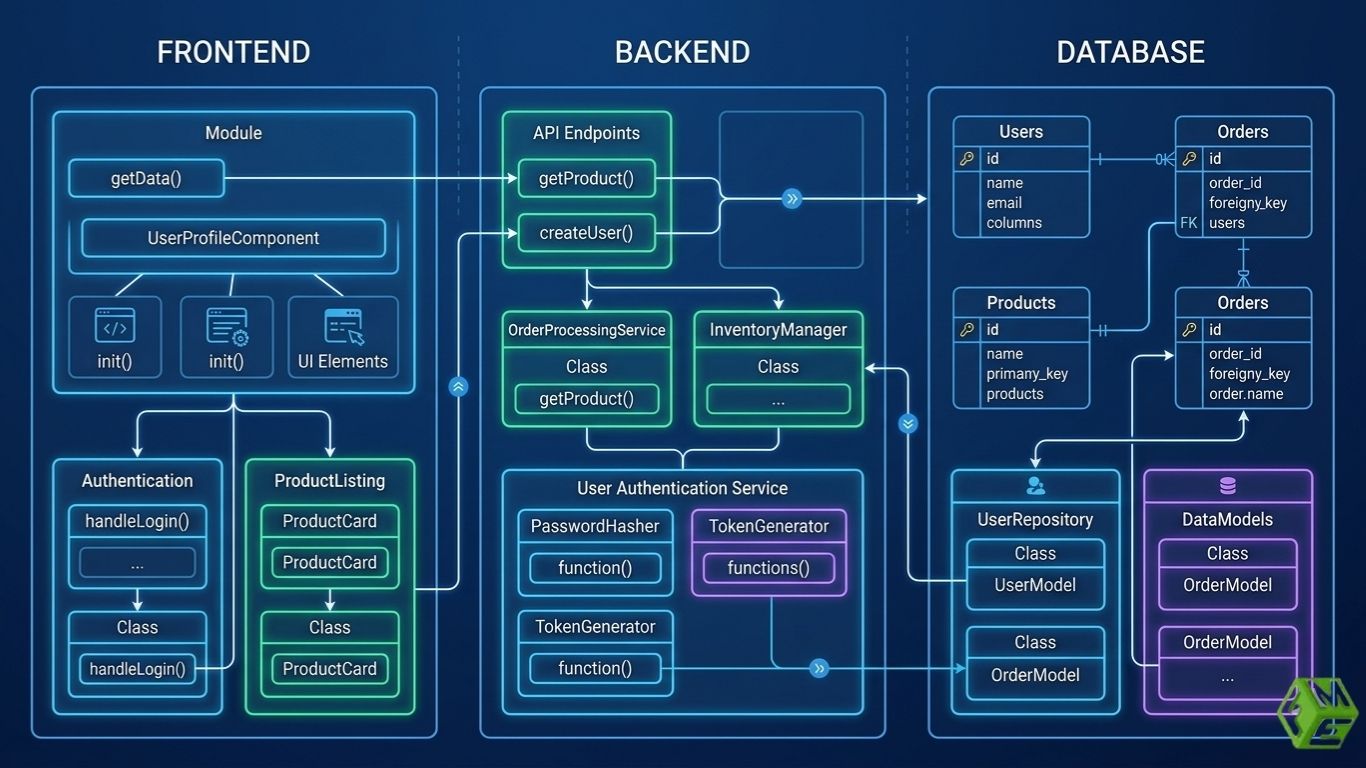
Use OOP (Object-Oriented Programming)
PrestaShop 8+ is built on object-oriented PHP. The developer should code modular, reusable classes and methods instead of procedurally. This improves:
- Organizing and making code readable.
- The flexibility to build on top of.
- Simplicity in debugging and testing.
It also helps developers to use design patterns such as MVC because OOP makes it predictable for teams, so they can work collaboratively on the code easily.
-
Input and Output Should Be Sanitized

When a PrestaShop store owner hires a PrestaShop Developer, the professional must know that Security is paramount in eCommerce. To prevent some of the most common vulnerabilities, developers must always sanitize the eventual inputs and outputs:
- Ensure you are using the Tools for PrestaShop.
- Validate user data before saving it in the database.
- Escape inputs for HTML, JavaScript, and SQL to prevent XSS and SQL injection attacks.
This enables secure protection of customer data, transactions, and store operations.
-
Keep A uniform formatting
Proper formatting allows one to read your document easily and make fewer mistakes as a result. Developers should:
- Stick to a common indentation level (most of the time 4 spaces).
- Use PrestaShop’s naming conventions for variables, functions and classes.
- Keep lines of code a reasonable length for readability.
- Add comments for areas of logic that may be complicated or counterintuitive.
Well-formatted code is easier to understand and maintain for other developers or future maintenance.
-
Optimize Database Interactions
Store performance is entirely dependent on efficient queries to the database. Developers should:
- When possible, make use of PrestaShop’s Object Model instead of raw SQL for the database operations.
- Do not make any unnecessary queries inside a loop.
- Optimize query time using indexes and caching.
- Validate that queries scales on large datasets.
Bad database practices can slow stores, especially with large product catalogs or high traffic.
The Best Practices for PrestaShop Module and Theme Development
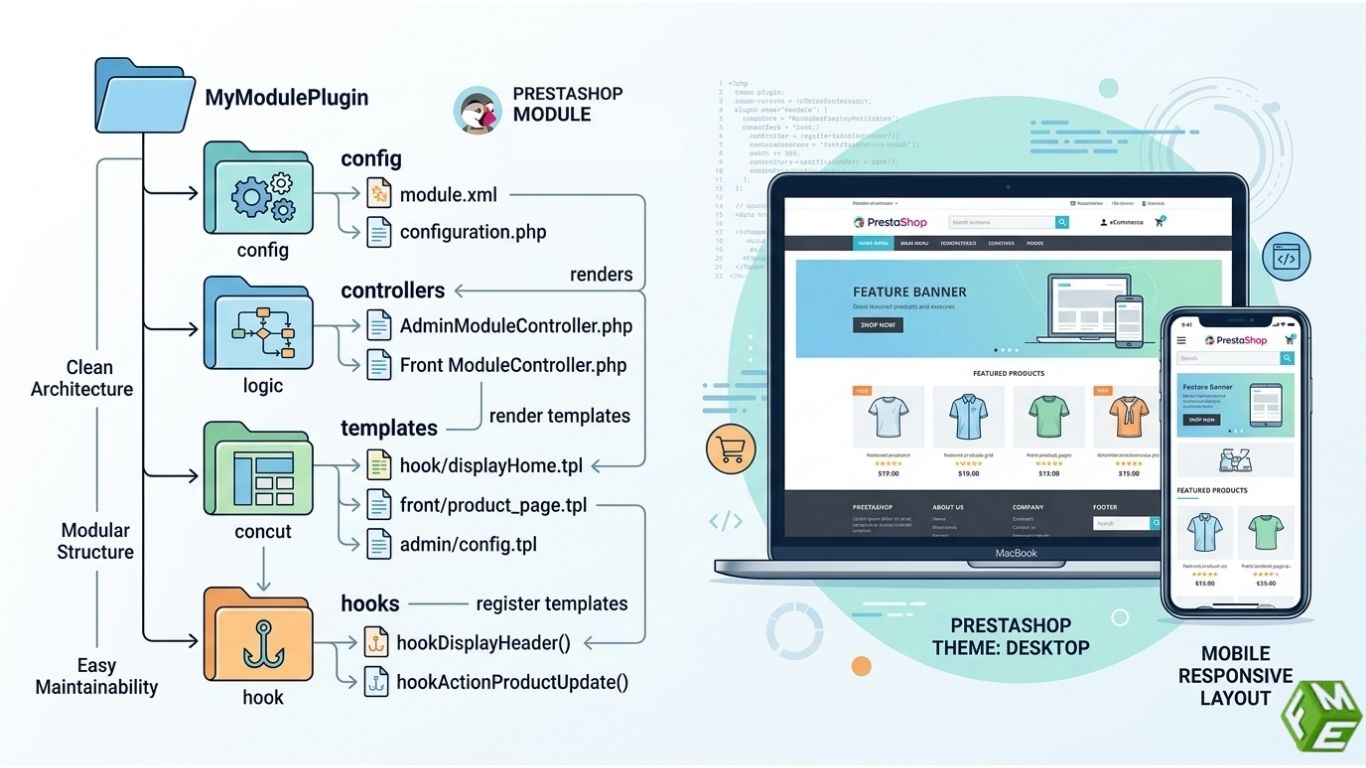
PrestaShop Module Architecture Best Practices: Developers must structure your plugin clear, separating the configuration from controllers and templates. Modules should also be self-contained with easy install/uninstall and follow PrestaShop’s hooks.
Best Practices For Themes: Developers must make sure to develop a responsive, mobile-friendly design and not also unnecessarily override core files. This way, store updates won’t override any changes you make with PrestaShop’s override system or child themes.
Testing and Debugging
Professional developers always test code before deployment. Best practices include:
- Debugging code with Xdebug or PrestaShop Profiler.
- Custom modules writing unit tests.
- Testing features in staging environments that mimic production.
- Compatibility with other modules and themes.
Testing verifies that the store functions as intended and guards against possible problems that could impact customer experience or cause a loss of sales.
Documentation
Even for the best code, you need documentation to maintain it. Developers should:
- Ensure documentation of custom modules, functions and API integrations.
- Document complex logic or workflows.
- Keep version histories and changelogs.
Well-written documentation enables other developers, agencies or even in-house teams to manage and scale the store easily.
Take Away
Coding standards and PrestaShop development best practices are crucial for developing reliable, secure, and high-performing PrestaShop stores. Be it by following official guidelines, applying OOP principles, optimising databases, cleaning up the inputs, good documentation or anything else that results in making sure the store is maintainable and scalable with scope for future features.
