


Fully Responsive
Responsive design for consistent performance everywhere in the industry.



 1 Review

 |
| verified
PrestaShop Newsletter Module allows you to promote products and discount offers in email newsletters to make your marketing efforts more effective. Import a list of emails with a single CSV file upload. Invite customers and visitors to subscribe for the newsletter to keep them updated about news and events.
 Life Time Support
 Money Back Guarantee
 Life Time Updates
2.1.3


What this module does for you?
With the help of Newsletter Pro Prestashop plugin, you can initiate a low-cost email marketing campaign with a customized message and template. By importing bulk email addresses in a CSV file, you can bring in more traffic to specific products and categories which means a higher conversion rate. Displaying subscription box in the footer can further enhance the number of newsletter subscribers.
Import email addresses
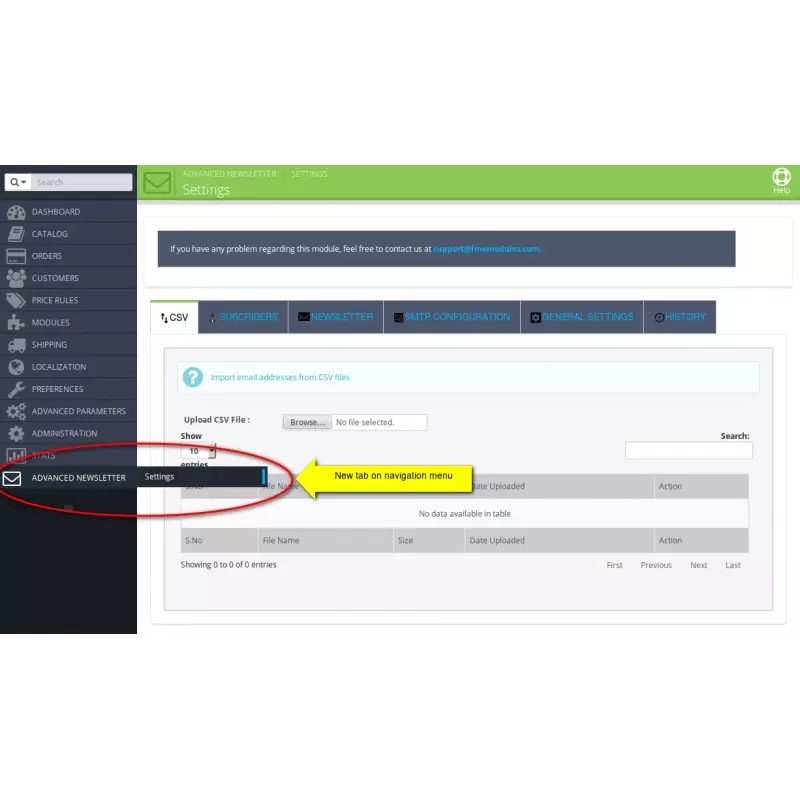
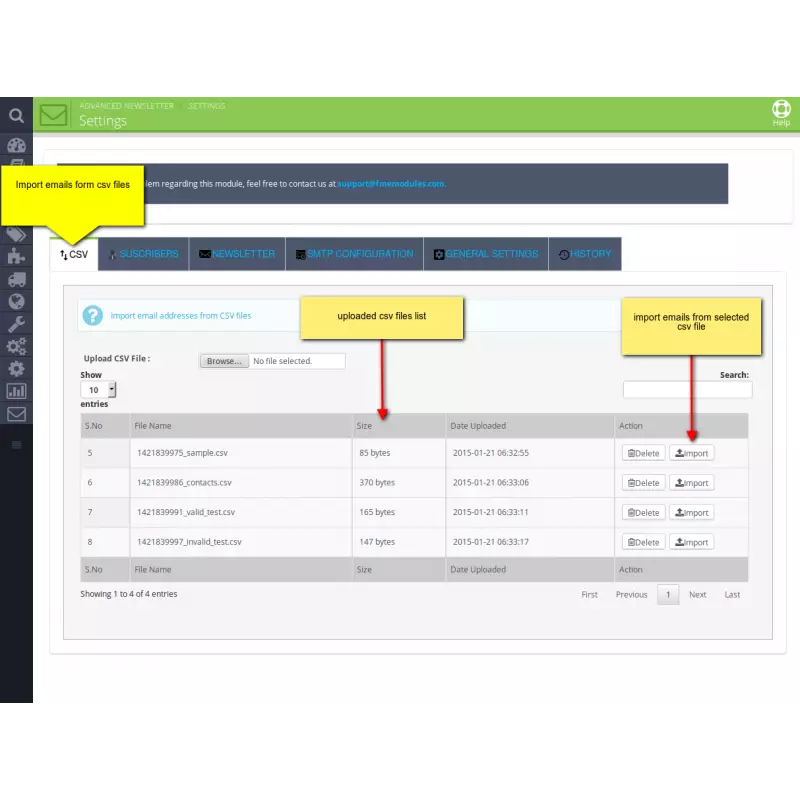
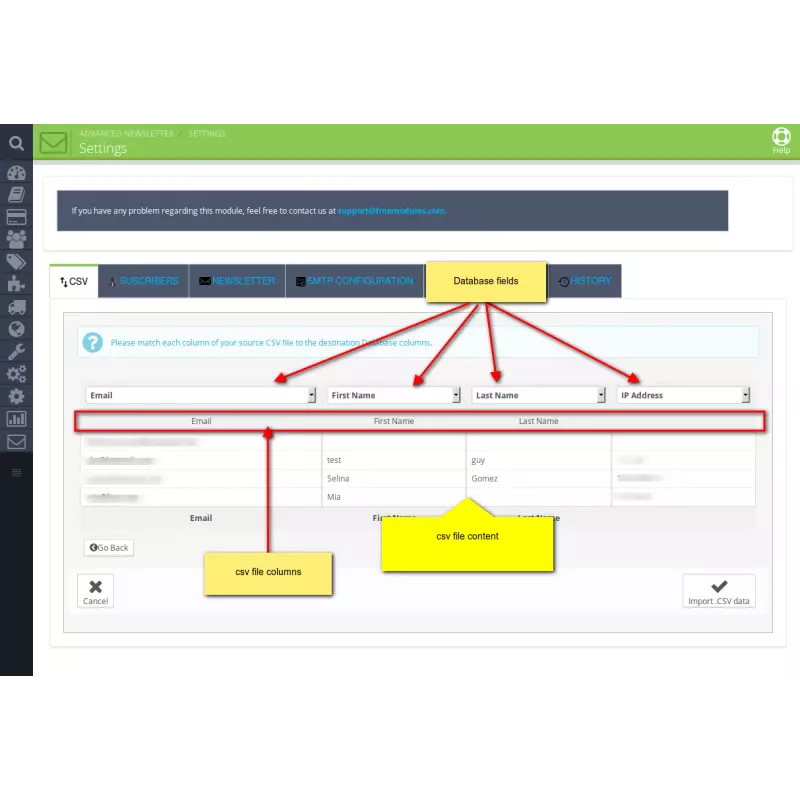
Newsletter addon for PrestaShop allows you to import an entire list of email addresses for email marketing from a CSV file.
Allow customers to subscribe
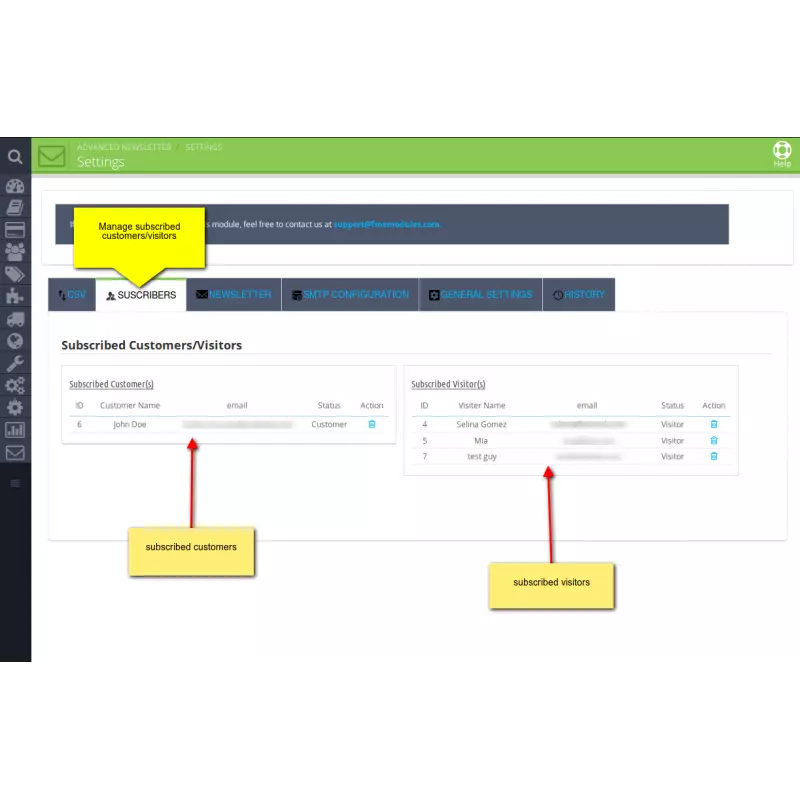
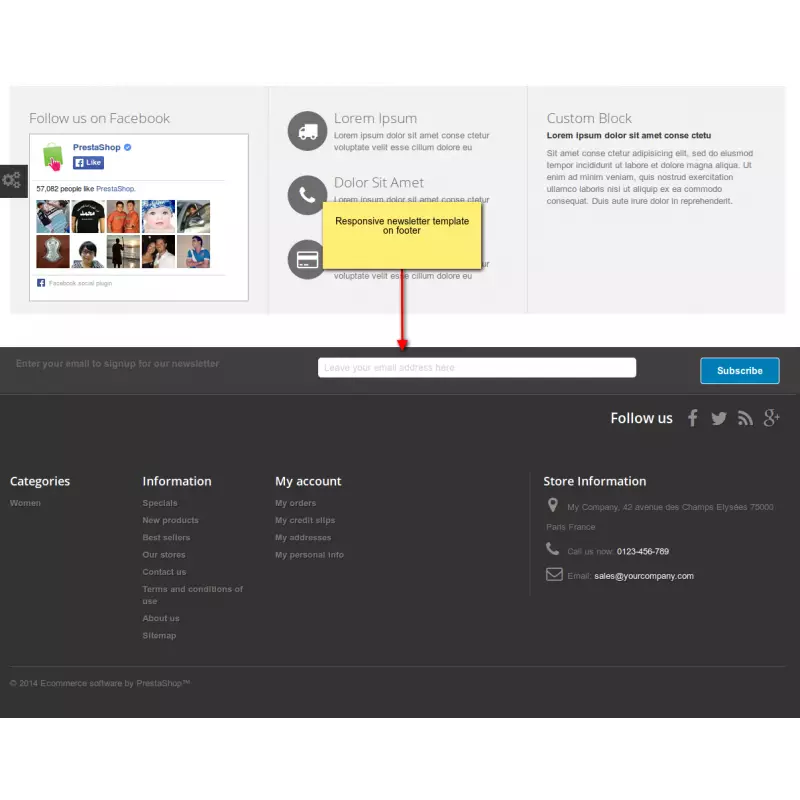
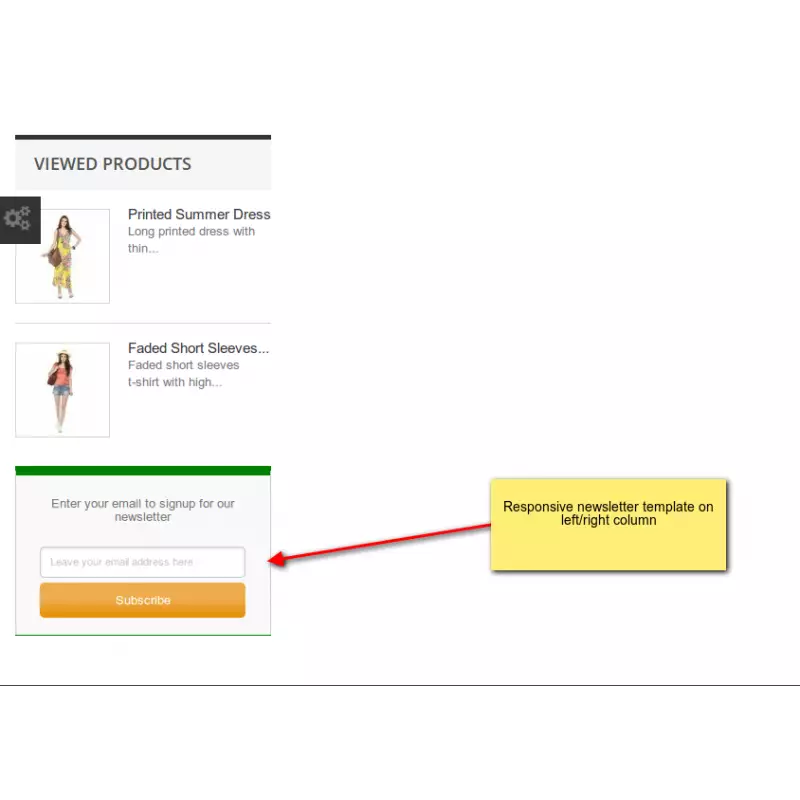
Allow customers and visitors to subscribe for the newsletter by displaying a ‘Subscription Box’ in the footer. You can view the number of people subscribed.
Configuring a Newsletter
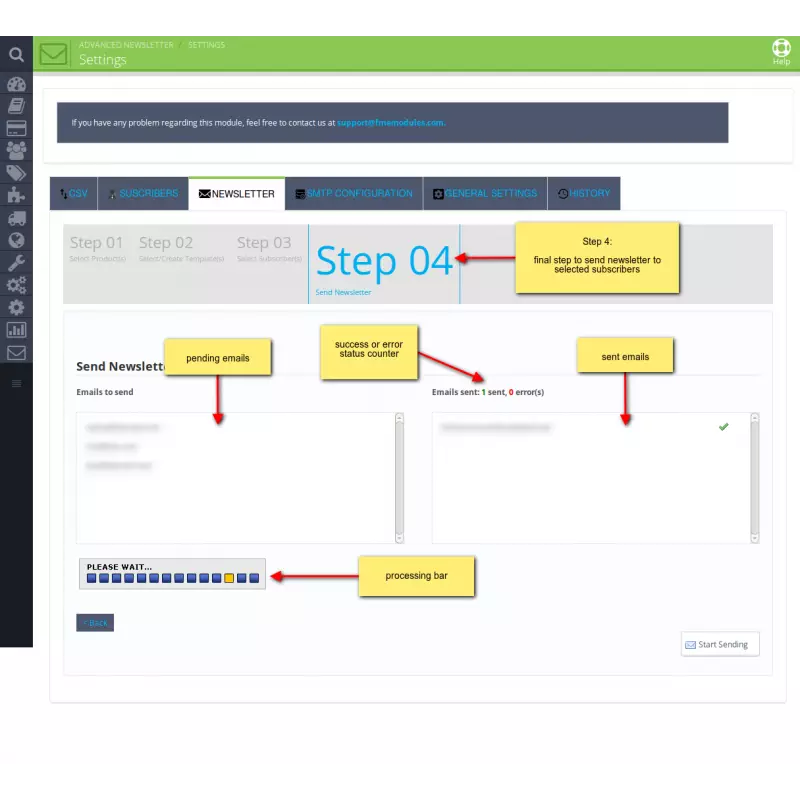
Advance Prestashop Newsletter module guides you to create and send the newsletter in 4 easy steps that are described below.
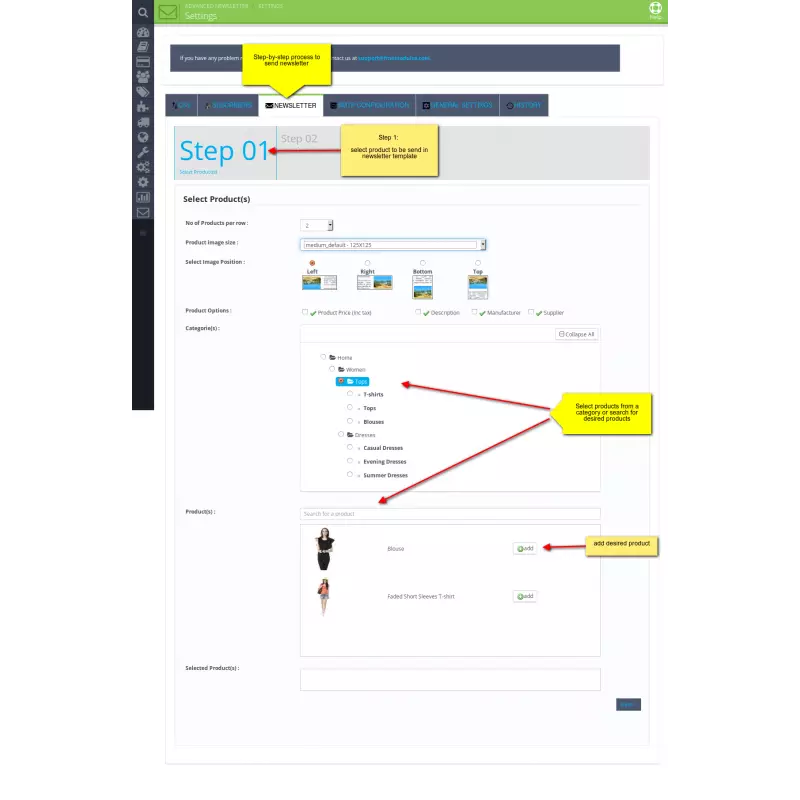
Step 1: Add products and categories to the newsletter. It includes the following options
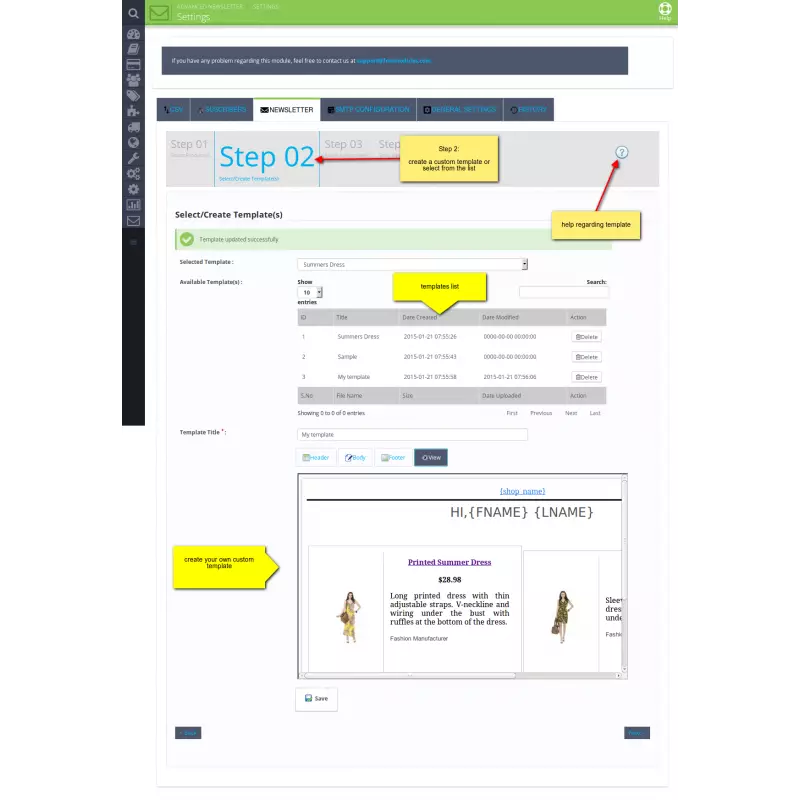
Step 2: Create or select a template for the newsletter. It allows you to;
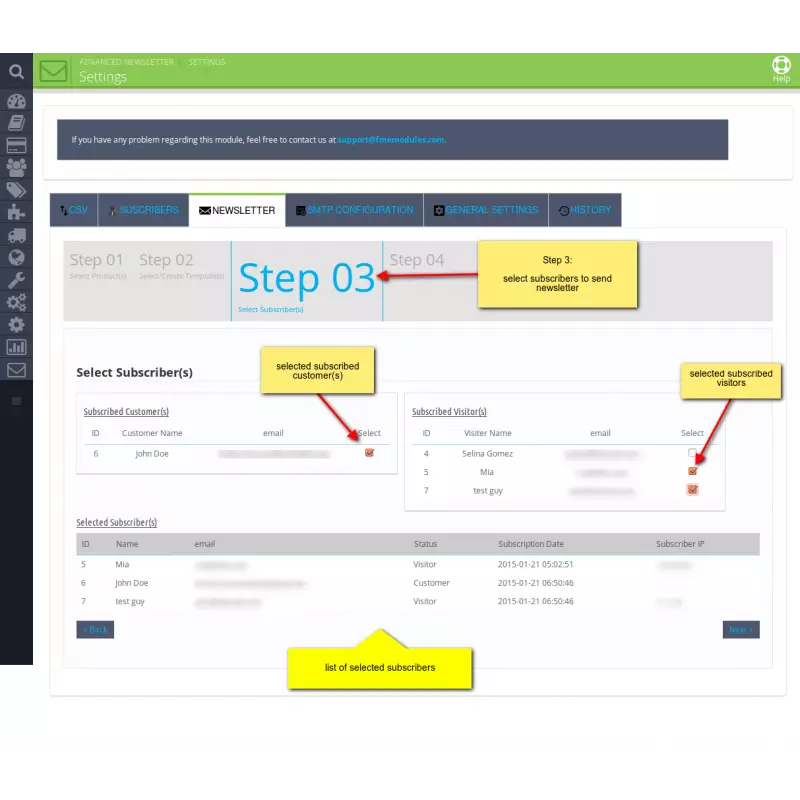
Step 3: Select subscribers from a list of customers and visitors.
Step 4: Send the newsletter to the selected email addresses. In an adjacent box, you can view the sent emails.
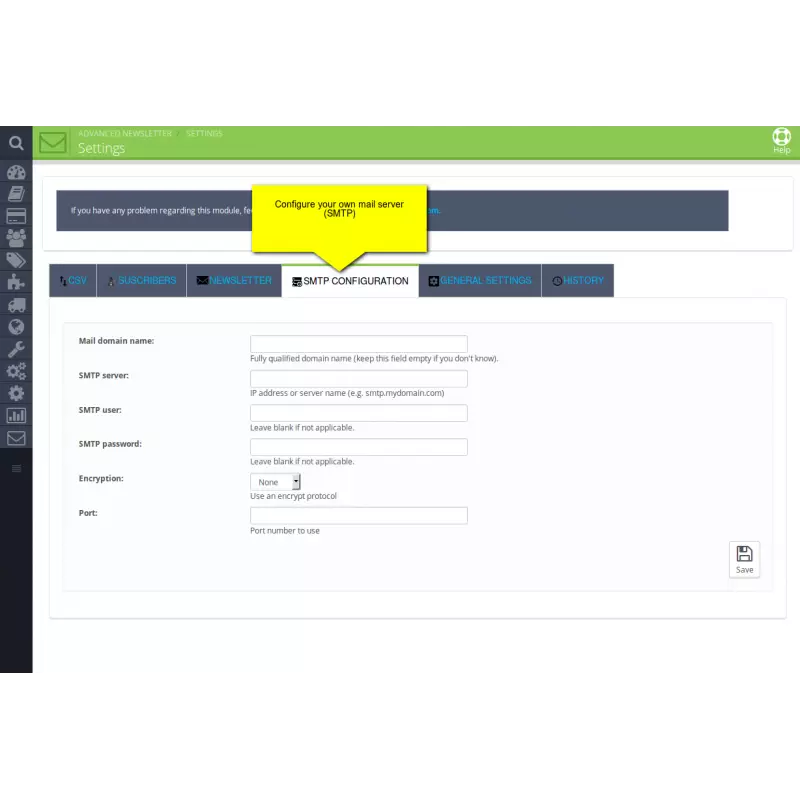
Configure an SMTP server
The module allows you to setup an SMTP server of your own to ensure the delivery of emails to all the subscribers. It allows you to;
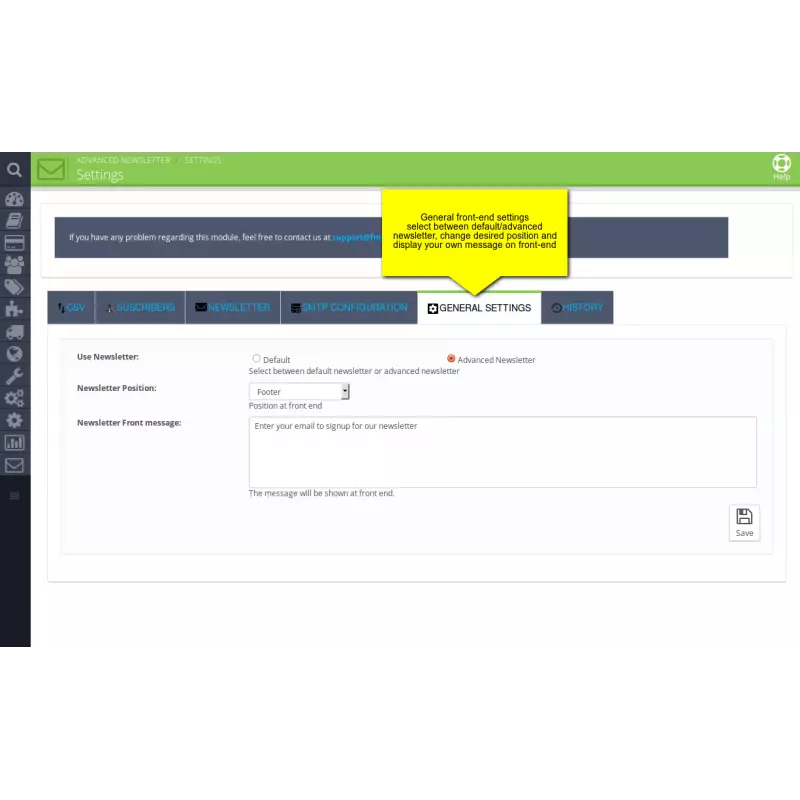
Configure General Settings
You can configure general settings for the Advance Newsletter module. It offers you to,
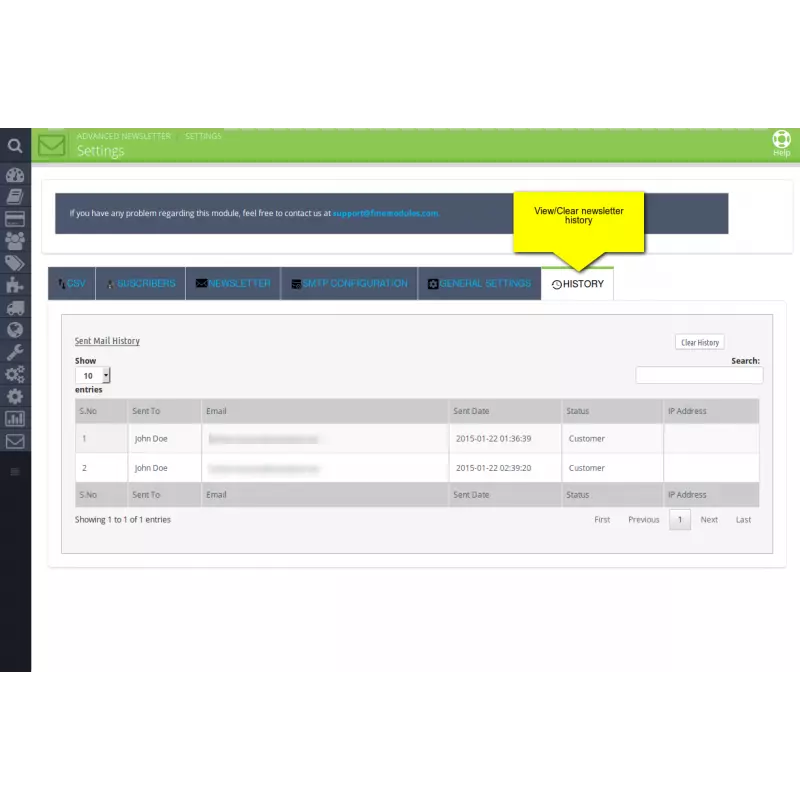
Mail History
View the history of sending emails to customers and visitors. It allows you to;
Responsive design for consistent performance everywhere in the industry.

Implementing industry-leading best practices with exclusive offers tailored to your business needs.

Get everything you need without worrying about renewal fees or hidden charges.

Get lifetime access to every update, ensuring your platform stays modern and secure.

Stay worry-free with lifetime assistance from our experts at absolutely no cost.

Get started instantly with an easy, guided installation process anyone can follow.

Shop with confidence; Get a full refund if you're not completely satisfied.

Every product undergoes strict quality checks to ensure top performance and reliability.

Simplify multi-store management with centralized control and consistent performance.
Have more questions? Contact us, and we will get back to you in 48 hours.
See what changed in each release of this product.
Tell us what you need. We will respond with an estimate based on your requirements.

 +86
+86
 09/02/2026
 +108
07/22/2026
+108
07/22/2026
 +76
08/20/2026
+76
08/20/2026
PrestaShop Newsletter Module allows you to promote products and discount offers in email newsletters to make your marketing efforts more effective. Import a list of emails with a single CSV file upload. Invite customers and visitors to subscribe for the newsletter to keep them updated about news and events.