


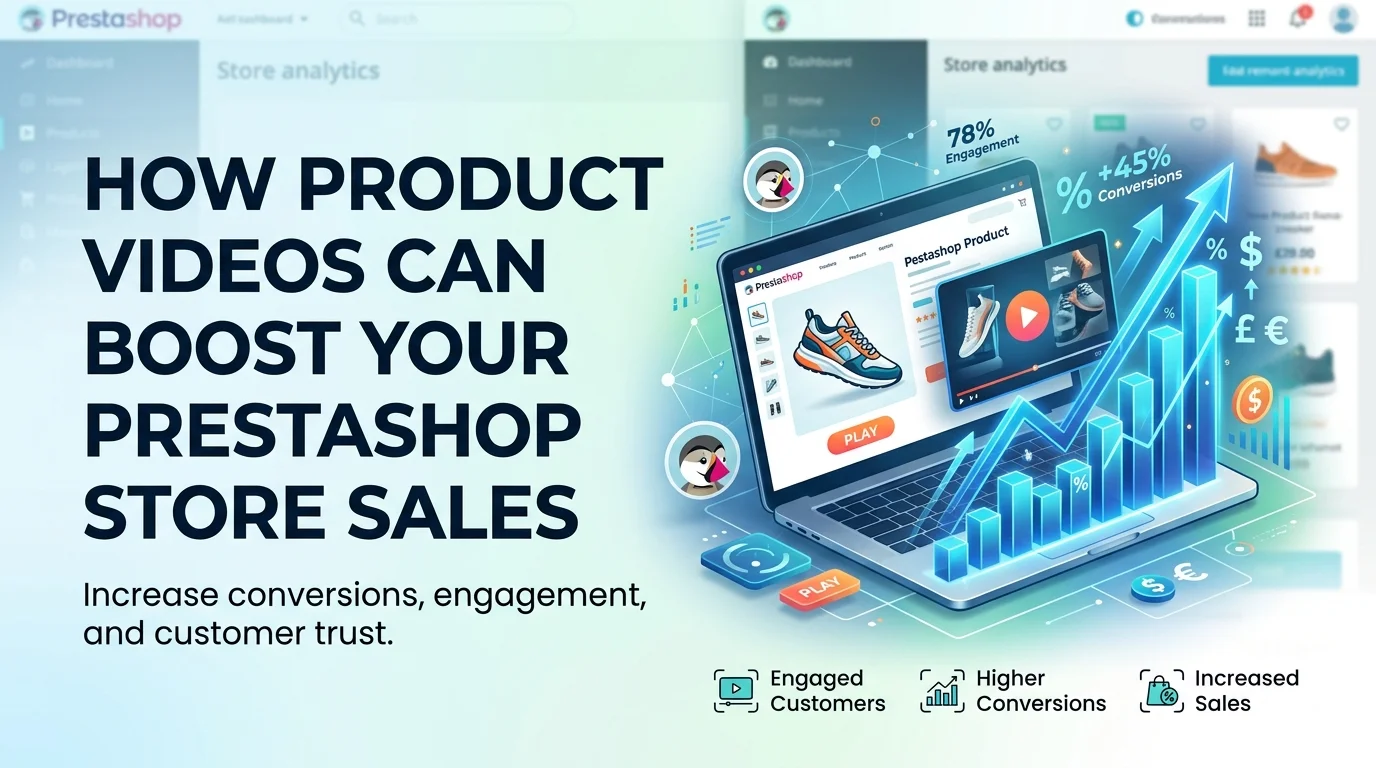
Adding product videos to your PrestaShop store is one of the highest-leverage changes you can make to boost conversions. Shoppers who watch a product video are up to 1.81x more likely to purchase than those who only see images, and the PrestaShop Product Video Module makes implementation straightforward without touching custom code.
Adding product videos to your PrestaShop store can boost engagement and sales by providing shoppers with a richer, more informative experience. Using a dedicated PrestaShop Product Video Module allows you to easily embed videos in product galleries, which can increase time on page, reduce return rates, and improve conversion. For SEO, ensure videos are optimised with descriptive titles and transcripts to help both Google and AI engines understand and rank your content.
The numbers behind video commerce are hard to ignore. Shoppers who watch a product video are up to 1.81x more likely to purchase than those who only see images. That single metric explains why many merchants now treat video as a core part of their product page strategy.
What Video Does to Buyer Behaviour
When a shopper lands on your product page, they make quick judgments. Video holds their attention longer than text or images alone, giving your product more time to persuade. That extra engagement translates directly into measurable outcomes:
- Higher conversion rates: 64% of consumers are more likely to buy a product featured in a video giving video product pages a clear advantage over text-only layouts.
- Lower return rates: Shoppers who see a product in action have more accurate expectations, so they are less likely to send it back because it did not match the description.
- Better time on page: A compelling video keeps visitors exploring, which signals relevance to search engines and increases the chance of a purchase.
The adoption trend reinforces the opportunity. 91% of businesses now use video as a marketing tool in 2026, up from 86% in 2024. If your competitors already show product videos, your text-only pages are at a measurable disadvantage.
That said, video alone is not a magic fix. The average ecommerce conversion rate sits between 1% and 4%, so even strong video content works best alongside clear descriptions, trust signals, and a smooth checkout. Think of product video as the most persuasive tool in your conversion toolkit, not a replacement for everything else.
From a PrestaShop perspective, the practical question is how to get videos onto your product pages without slowing down your store or wrestling with custom code. A dedicated module handles the heavy lifting, letting you upload videos directly or embed from YouTube and Vimeo, then display them neatly within your existing product gallery.
How to Add Videos to Your PrestaShop Product Pages
Adding video to your PrestaShop catalogue is straightforward, but the right method depends on your needs. Native PrestaShop offers basic multimedia support, yet most merchants find a dedicated module gives them far more control over placement, styling, and the number of videos per product.
Using Native PrestaShop Video Features
Every PrestaShop installation includes a basic media manager within the product configuration. You can upload an MP4 file directly into the product page editor under the "Multimedia" section, or embed a YouTube or Vimeo link into the product description using the HTML editor. This approach works well if you only need one or two videos across a handful of products. The limitations appear quickly, though. Native controls let you position a single video block, but you cannot organise multiple videos into tabs, set custom playlists, or control autoplay behaviour without editing template files. For stores with large catalogues, that quickly becomes a maintenance headache.
Why a Dedicated Module Saves Time
A module designed specifically for product video takes the manual work out of the process. The PrestaShop Product Video Module from FME Modules lets you add multiple videos to any product page. You can upload files directly or embed from YouTube and Vimeo, which is useful if you already host content on those platforms.
The module displays videos in a clean, dedicated section on the product page, separate from the description. This keeps your layout tidy and gives shoppers a clear visual cue that video content exists. You control the thumbnail, the video title, and the display order, so you can lead with your most persuasive footage.
Best Practices for Video Placement and Setup
Where you place a video on the product page matters as much as the video itself. Shoppers who watch a product video are up to 1.81 times more likely to purchase than those who only see images, so the video must be visible without scrolling. Place it directly beneath the main product image carousel or above the "Add to cart" button.
- Lead with your strongest video. A short demonstration of the product in use outperforms a lengthy brand story. Put the demonstration first, then secondary videos below.
- Use a descriptive thumbnail. A frame with a person using the product generates more clicks than a plain logo shot or a generic placeholder.
- Keep videos short. Aim for 30 to 60 seconds for demonstrations. Longer content belongs in a dedicated comparison video or a "how to care for" clip.
- Test autoplay carefully. Muted autoplay can work on category pages, but on product pages let shoppers press play. Forced autoplay often irritates more than it converts.
Structuring Multiple Videos for Maximum Impact
Once you have more than one video per product, organisation becomes critical. A product page with five videos stacked vertically forces the shopper to scroll past each one, which dilutes attention.
Group your videos by purpose. A short demonstration first, followed by a customer testimonial or a detailed feature breakdown, guides the shopper through a logical journey. The product video module supports arranged display orders, so you can sequence content the way you want. If you also manage video content outside product pages, the PrestaShop Media Gallery Module lets you build a browsable gallery separate from individual product listings.
Remember the bigger picture: 64% of consumers are more likely to buy a product featured in a video. A well-structured video section is not decoration. It is a direct contributor to your conversion rate.
What Features Should a PrestaShop Video Module Have?
Not every video module is built the same. The right one should feel invisible to your customers: videos load fast, play cleanly on any device, and slot neatly into your existing PrestaShop theme. Here is what to check before you buy.
Multiple video support per product. A single product often needs more than one clip. A dress might have a catwalk video, a fabric close-up, and a styling guide. Look for a module that lets you upload several videos and organise them per product, rather than forcing you to pick one.
Hosting flexibility. Some merchants prefer to host files on their own server; others want the reliability of a platform like YouTube or Vimeo. The best modules support both uploads and embeds, so you are never locked into one approach. The PrestaShop Product Video Module covers this by letting you upload files directly or embed from YouTube and Vimeo, which keeps your workflow flexible whether you already have a channel or start from scratch.
Lazy loading for page speed. Videos are heavy. A module that loads every clip upfront will slow your product pages and hurt your Core Web Vitals. Lazy loading defers the video until the customer scrolls to it, keeping your page responsive and your conversion rate intact.
Mobile responsiveness. A large share of ecommerce traffic comes from phones. Your video player must resize automatically, support touch controls, and play in portrait orientation without cropping. Test the module's demo on a phone before you commit.
Easy placement and styling. The video should appear where customers expect it, usually in the product image gallery or directly below the description. A good module gives you control over the width, position, and customisation without touching template code. This matters more than you might think: if the video feels bolted on, shoppers will ignore it.
When you compare options, also check whether the module is regularly updated for new PrestaShop versions. A module that breaks after your next upgrade is a liability, not a feature.
Best Practices for PrestaShop Video SEO
Adding a video to your product page is only half the work. If search engines cannot read that video, it will not help your PrestaShop store rank better or attract organic traffic. Video SEO ensures that both Google and shoppers can find and understand your content.
Start with the basics: give every video a descriptive filename before uploading, such as wool-blend-coat-windproof.mp4 instead of video-final2.mp4. The filename and surrounding text send clear signals to search engines about what your product video actually shows.
An optimised product video can make shoppers up to 1.81x more likely to purchase, but only if search engines can index it properly. A video that fails to load or lacks metadata is invisible to both algorithms and customers.
Write descriptive metadata for each video
Every video you add to your PrestaShop product pages deserves its own title, description, and thumbnail. Treat these fields as you would a product description:
- Title: include the product name and a primary keyword, keeping it under 60 characters where possible.
- Description: summarise what the video demonstrates, such as "How to adjust the strap on the leather crossbody bag."
- Thumbnail: choose a high-quality, relevant frame that accurately represents the video content.
This metadata helps Google understand the video's context and makes your listing more appealing in search results. It also improves accessibility for shoppers using screen readers.
Submit a video sitemap to Google
A dedicated video sitemap tells Google exactly which pages contain videos and how to index them. It is one of the most reliable ways to get your PrestaShop product videos discovered. Include the video's URL, thumbnail location, duration, and title in the sitemap entries. Once you have generated it, submit it through Google Search Console. This step is particularly valuable for stores with dozens or hundreds of product videos.
Add a transcript for accessibility and indexing
A transcript converts your spoken audio into searchable text. It benefits your store in two ways: search engines can crawl the text to better understand the video's relevance, and viewers with hearing impairments can follow along. Many PrestaShop video modules let you paste a transcript or description directly next to the player. If yours does not, add the transcript as a collapsible block below the video on your product page.
Keep video pages fast and mobile-friendly
Slow-loading videos are a common cause of high bounce rates. Compress your files and serve them through a reliable hosting provider, or embed from a platform such as YouTube or Vimeo to offload bandwidth. Test your product pages on a mobile connection, since a large portion of PrestaShop traffic often comes from phones. Also verify that videos do not autoplay with sound, which can frustrate shoppers and prompt them to leave the page quickly. A muted, silent autoplay loop can work well for short product demos, but user-initiated playback is generally safer and less intrusive. Following these practices means your product videos work harder for your store. They become discoverable assets that support both conversions and search rankings, rather than decorative extras on your product pages.
Why Audio Upload Matters for Accessibility and Engagement
Video is a visual medium, but the audio track carries half the message. Shoppers who watch a product video are up to 1.81x more likely to purchase than those who only see images, and clear audio is often the difference between a helpful demo and a frustrating one. Adding a voiceover or audio description makes your PrestaShop product videos accessible to visitors who are visually impaired or who prefer listening while they multitask.
This is where the FME video module stands out. Beyond YouTube and Vimeo embeds, it supports direct audio upload, so you can attach a spoken explanation or background track to any product video. That single feature moves your store closer to accessibility best practices while giving shoppers a richer sense of the product before they commit.
The engagement payoff is real. 64% of consumers are more likely to buy a product featured in a video, and that figure climbs when the video is easy to follow with sound on or off. An audio description covers the on-screen details, while background audio sets the mood for lifestyle products like furniture, apparel, or home goods.
Three practical uses for audio upload on product pages:
- Add a voiceover that walks through key specs, materials, and sizing, so customers get answers without scrolling.
- Upload a calm background track for ambience-heavy products, like candles or coffee makers, to recreate the in-store feel.
- Pair audio descriptions with every video to serve screen-reader users and comply with broader accessibility expectations.
Audio is not a replacement for good visuals, it is the layer that makes them work harder. A product video with thoughtful sound keeps visitors engaged longer, and longer engagement feeds directly into the conversion lift you are already chasing with video. If you want to extend the same idea across your store, the media gallery module by FME helps you organise video and audio collections in one place.
How to Measure the Impact of Product Videos on Your Store
Adding a video module is only the first step. To prove the investment is worth it, you need to track how videos affect shopper behaviour. The good news is that most PrestaShop analytics setups already collect the data you need.
Start with engagement metrics. Compare the average time on page for products with video against those without. A shopper who watches a 30-second clip is spending meaningful time with your brand, and that attention typically signals higher interest in the product itself.
Next, watch your conversion rate. Shoppers who watch a product video are up to 1.81x more likely to purchase than those who only see images. If your video-enabled products outperform your static-image products on this metric, you have a clear case for rolling out video across your catalogue.
Bounce rate matters here too. A high bounce rate on a product page often means shoppers did not find what they needed. Video gives you a second chance to capture their attention before they leave. Track whether pages with video keep visitors on-site longer and reduce early exits.
Video content turns passive browsing into active buying behaviour. A shopper who clicks play is signalling intent, and each second they watch builds confidence in the purchase.
Finally, look at the products themselves. If you have a range of products with video and a similar range without, compare their add-to-cart rates over a consistent period. Even a modest improvement justifies the time spent producing the clips and the cost of a module.
Set a baseline before you add videos. Record standard metrics for 30 days, add videos to a test group of products, then measure the same metrics for another 30 days. This before-and-after comparison is the most reliable way to attribute improvements to your PrestaShop product video strategy rather than seasonal fluctuations.
Common Mistakes to Avoid When Adding Videos to PrestaShop
Adding video to your PrestaShop product pages is one of the fastest ways to lift engagement, but only if you implement it properly. The wrong approach can slow your store down, hurt your SEO, or frustrate mobile shoppers. Here are the most common pitfalls and how to sidestep them.
1. Slowing Down Your Page Load Time
Hosting large video files directly on your server is the single biggest performance mistake you can make. Every megabyte of video weight adds to your page load time, which directly pushes shoppers away. Instead, embed videos from YouTube or Vimeo using an iframe, or upload compressed files via a dedicated module that handles the heavy lifting for you.
Your product page should load quickly, and video is often the deciding factor. A module like the video module of FME lets you embed external videos without bloating your server, so you get the engagement benefit without the speed penalty. When you use embed codes, the video player is loaded from YouTube or Vimeo's servers, keeping your own hosting light.
2. Autoplay With Sound
Autoplaying videos with audio is a fast way to annoy visitors, especially those browsing in public or at work. Most people will close the tab before they ever reach your product description. Keep autoplay off entirely, or if you must use it, keep it muted with captions enabled.
Shoppers who watch a product video are up to 1.81x more likely to purchase than those who only see images. But that statistic assumes they choose to press play. Let visitors control the experience, and you will see higher completion rates and more conversions from the videos they actually watch.
3. Ignoring Mobile Optimisation
A large share of ecommerce traffic comes from mobile devices, so a video that renders poorly on a phone is a wasted opportunity. Common problems include videos that do not scale to screen width, play buttons that are too small to tap, and video players that force users into a clunky full-screen experience.
Test every video on a real smartphone before you publish. Check that the player controls are visible, the video resizes correctly, and the page does not require horizontal scrolling. If your module does not offer responsive video players, consider switching to one that does, because a poor mobile experience costs more sales than a missing video ever would.
4. Using Video to Replace Product Descriptions
Videos are a supplement, not a substitute, for your written product descriptions. Search engines still rely on text to understand what your product is, and many shoppers prefer to scan specifications quickly rather than watch a two-minute clip. Use video to show the product in action, demonstrate scale, or highlight features that are hard to describe in words.
When you pair a strong video with a well-structured description, you serve both visual learners and skimmers. That dual approach explains why 64% of consumers are more likely to buy a product featured in a video, while your text keeps the page SEO-friendly and accessible.
5. Forgetting About Accessibility
A video without captions or a transcript excludes deaf and hard-of-hearing shoppers, and it also harms your SEO because search engines cannot index spoken content. Add subtitles to every video you upload, and provide a brief text transcript in your product description.
This matters more than you might think. If you are using a module that supports audio uploads alongside video, take advantage of it to deliver a richer experience for all visitors. An accessible product page signals quality to both customers and Google, improving your rankings while broadening your audience.
The good news is that most of these mistakes have simple fixes. Choose the right module, optimise your files for speed, test on mobile, and keep your written descriptions intact. Do that, and your product videos will work hard for your store instead of against it.
Are Product Videos Worth the Investment?
Yes, the numbers make a compelling case. Shoppers who watch a product video are more likely to purchase than those who only see static images.
Video has also become standard consumer behaviour. 91% of businesses now use video as a marketing tool, and 64% of consumers are more likely to buy a product featured in a video. On PrestaShop specifically, this means your product pages need to do more than list specifications. They need to demonstrate how the product works, what it feels like, and why it solves a problem.
The practical verdict is simple: adding videos to your PrestaShop product pages is one of the highest-leverage changes you can make. The video module makes implementation straightforward. You upload your footage or embed YouTube and Vimeo links, organise multiple videos per product, and publish within minutes. No developer required, no template hacking, just a cleaner, more persuasive product page.
The videos you add today become the conversion advantage your store needs tomorrow. Start with your top-selling products, measure the impact on add-to-cart rate and time-on-page, then expand from there. Low effort, measurable ROI, and a better shopping experience for your customers.
Why Do Product Videos Matter for PrestaShop Stores?
The average ecommerce conversion rate sits between 1% and 4%, according to Adobe benchmarks. That means 96% to 99% of your visitors leave without buying. Video changes this equation by showing your product in action, which builds trust and removes doubt at the exact moment a shopper is deciding.
What Is the Measurable ROI of Adding Video to Product Pages?
The return on investment goes beyond a single metric. Video on landing pages increases conversions by 86%, which directly impacts your bottom line. For a store with a 2% conversion rate, that jump could mean nearly doubling your sales from existing traffic.
Engagement metrics improve too. Visitors who watch a video spend more time on the product page, which signals relevance to search engines and keeps shoppers away from competitors. Longer dwell time plus higher conversion rates mean your product pages work harder for every visit you already pay for.
One practical example: a clothing store selling jackets can show how the fabric moves, how the zip works, and how the fit looks from every angle. That 30-second video answers questions that text and photos simply cannot, reducing returns and increasing purchase confidence.
How Do I Add a Video to My PrestaShop Product Page?
PrestaShop does not include native product video support in its standard installation. You need a module to bridge this gap. The most straightforward approach is to install a dedicated product video module that lets you embed or upload videos directly onto your product pages.
Once the module is installed, you typically configure it through the PrestaShop back office, on the module configuration page. You then attach a video to each product by pasting a YouTube or Vimeo link, or by uploading a video file. The module handles the rest, displaying the video in a clean player that matches your theme.
Which PrestaShop Product Video Module Should I Choose?
The video module from FME Modules is designed specifically for this task. It lets you add multiple videos to a single product page, which is a strong alternative to long text descriptions and static image galleries. You can upload your own video files or embed from YouTube and Vimeo, giving you flexibility in how you produce content.
The module is built to enhance customer retention through better engagement, which leads to improved rankings and more sales. For merchants who want to keep visitors on the product page longer and increase the chance of purchase, this module delivers exactly that functionality.
Key Benefits of Using a Dedicated Video Module
- Multiple videos per product: show different angles, use cases, or size guides without cluttering the page
- External hosting support: embed from YouTube or Vimeo so you do not pay for video storage on your server
- Clean integration: the video player appears in your existing product page layout without breaking your theme
- Improved user experience: shoppers get the information they need without leaving your store to search elsewhere
Should I Upload Videos or Embed from YouTube?
Both approaches have valid use cases, and the best choice depends on your hosting setup and content strategy.
Embedding from YouTube is the most common approach because it saves server bandwidth and storage. YouTube handles the video delivery, which means your PrestaShop store stays fast even with many videos. The trade-off is that you depend on YouTube availability and you may see related videos suggested at the end, which could lead shoppers away.
Uploading videos directly to your server gives you full control over playback and keeps visitors entirely within your store. The cost is server storage and bandwidth, which can add up if you have large files or high traffic. Most merchants start with YouTube embeds and switch to direct uploads for their most important products.
What Makes a Product Video Effective?
Not all product videos convert equally. The ones that work share a few common traits.
- Keep it short: aim for 30-60 seconds, enough to show the product without losing attention
- Show the product in use: demonstrate how it works rather than just showing it from different angles
- Include sound or captions: many shoppers watch with sound off, so captions help convey key details
- Place it above the fold: the video should be visible without scrolling so shoppers see it immediately
Think about the questions your customers ask most often. A video that answers those questions directly will outperform a beautifully shot but vague showcase every time.
Conclusion
Product videos are no longer optional for PrestaShop merchants who want to compete effectively.
The PrestaShop Product Video Module removes the technical barriers. It supports direct uploads and YouTube/Vimeo embeds, handles multiple videos per product, and integrates cleanly with your existing theme. For merchants with larger catalogues, pairing it with the Media Gallery Module keeps everything organised in one place.
Start small. Add videos to your top ten products, track the metrics, and let the data guide your next steps. Product video is no longer a nice-to-have, it is a core part of a modern PrestaShop store.