


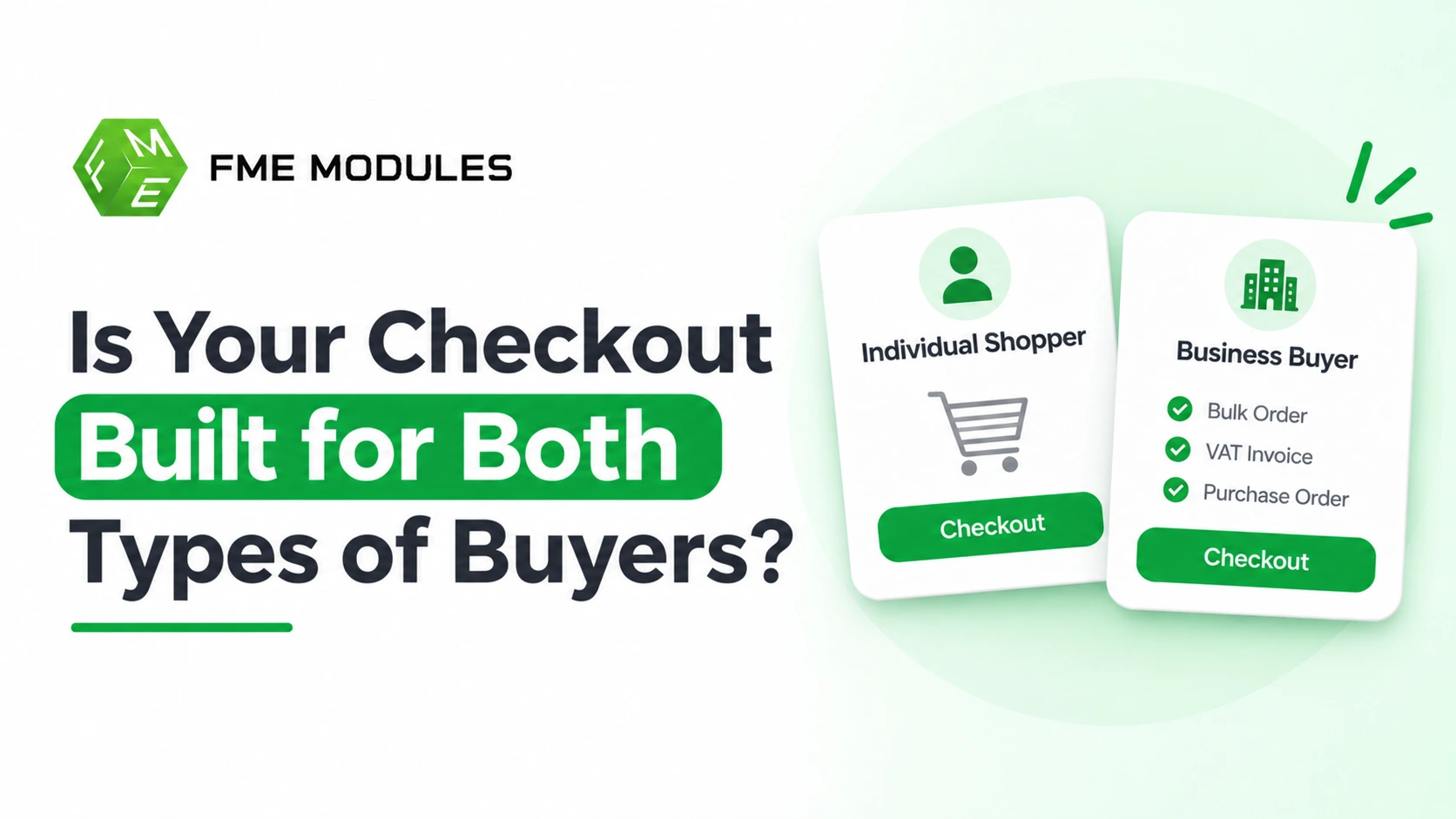
A B2B checkout assumes the person buying is raising a purchase order against a company budget rather than spending their own money. While retail consumers want a fast card payment with minimal fields, business buyers require purchase order numbers, manager approval steps, VAT exemptions, and net payment terms.
Forcing both audiences through a single, unsegmented checkout creates friction that drives away retail shoppers and forces trade buyers to abandon their carts. By leveraging PrestaShop customer groups, you can partition one storefront into two seamless experiences—keeping consumer checkout effortless while giving B2B buyers the exact account controls and compliance fields they need.
What is A B2B Checkout Experience?
A B2B checkout assumes the person buying is not spending their own money. They are raising a purchase order, often against a budget and a supplier agreement, and someone above them may need to sign off. That single fact reshapes almost every element of the checkout page.
Where a B2C buyer sees a card form and a "Pay now" button, a business buyer expects different things:
- A purchase order number field, so the invoice matches their accounts payable records.
- An approval step, where a requisition waits for a manager before it becomes an order.
- Payment on account with net terms, rather than immediate card payment.
- A VAT or tax exemption number that removes tax from the total at checkout.
- Multiple users under one company account, each with their own login and limits.
- Quantity breaks and bulk pricing applied at the cart and checkout stage.
In PrestaShop terms, this maps onto customer groups, group-specific price and tax rules, and order approval workflows. The checkout is not a separate storefront: it is the same one, with different rules switched on for the buyers who need them.
A plumbing merchant selling to a trade counter and to a homeowner is a useful picture. The homeowner wants a fast card checkout. The plumber wants to add thirty fittings, quote a PO number, and settle the invoice in thirty days. Same products, same store, two entirely different checkout expectations.
How does B2B checkout differ from B2C checkout?
The gap starts with who is buying and why. A consumer checkout closes a want; a business checkout usually closes a requisition that someone else has to sign off. That difference ripples through every field, button and message on the page.
In a B2C flow, the buyer and the payer are the same person, paying by card, on a phone, hoping not to retype an address. In a B2B flow, the person filling the basket is often a purchasing clerk who needs a purchase order number, a delivery address that may differ from the invoice address, and a receipt their finance team can file. Consumers buy ones and twos and pay immediately; trade buyers order in cases, pallets or reels and may expect to be invoiced on agreed terms.
| Dimension | B2C checkout | B2B checkout |
|---|---|---|
| Buyer identity | One person, one account | Company account with several staff logins |
| Typical quantities | Single units | Bulk, in units of measure |
| Payment | Card, wallet, paid at checkout | Invoice on terms, paid after delivery |
| Addresses | One delivery address | Delivery, invoice and branch addresses |
| Approvals | None | Manager or finance sign-off before the order is placed |
| Tax | Tax-inclusive prices, consumer rate | Tax-exclusive prices, VAT number validation, reverse charge |
| Documentation | Email confirmation | Purchase order reference, invoice, delivery note |
The friction is rarely the payment step itself. It is the missing PO field, the address book that only allows one entry, or the tax line that shows the wrong rate to a trade buyer. B2B checkout design is mostly about removing reasons for an order to be abandoned and retyped by someone in an office. The good news for PrestaShop merchants is that customer groups, tax rules and a few targeted customisations can split one checkout into two behaviours.
Why one checkout cannot serve both audiences
Picture a buyer from a UK schools supplier trying to order 400 chairs through the same checkout as a shopper buying one notebook. The form asks for a VAT number, a purchase order reference and a delivery contact, then demands payment by card in full. The buyer abandons and emails the order instead. You have lost the sale, the audit trail and the reorder.
Now flip the scene. A retail customer lands on a checkout asking for a company name, a cost centre and a PO number before they can buy a phone case. Most of them leave. Neither failure shows up as an error in your dashboards, which is what makes it expensive.
- B2C friction from B2B fields. Every extra required field that a consumer has no answer for is a drop-off point, and mandatory company data is the worst offender.
- B2B friction from consumer-only payment. Trade buyers who expect to be invoiced on agreed terms cannot proceed when card payment is the only route.
A single blended checkout does not average out the two audiences; it subtracts from both.
How To Offer Different Checkout Experiences For B2B and B2C Customers
Everything below happens inside one PrestaShop store. The task is to build two doors into the same checkout, then decide who walks through which. Work through the levers in this order, because each one depends on the group you set up before it.
1. Build The Customer Groups First
In PrestaShop, Customers > Groups is the backbone of the whole setup. Create a trade group (for example, "Wholesale") alongside the default Customer group, and assign every B2B account to it, either manually or automatically through a module that checks a VAT number at registration. Once the group exists, most of the remaining configuration becomes a per-group toggle rather than a separate store.
2. Attach Pricing and Tax Rules To Each Group
- Use specific prices on a product to give the trade group its own price, with quantity thresholds where volume buying is the norm.
- Set tax rules groups under International > Taxes so the wholesale group can be configured for VAT-exempt intra-EU trade once a valid number is validated.
- Keep retail prices visible to the default group so consumer browsing stays unchanged.
3. Restrict Payment Methods Per Group
Consumers pay by card or wallet and expect it to take seconds. Trade buyers often want to pay on invoice, and offering that to the public is a credit risk. PrestaShop's payment restrictions let you limit a module to selected customer groups, so invoice payment only appears for approved accounts and card options stay untouched for everyone else.
4. Capture The Fields B2B Orders Need
A consumer checkout does not have a purchase order number, a cost centre or a requisition reference, and trade buyers cannot complete an order without them. Add these as custom checkout fields using a PrestaShop module built for that purpose, and keep them switched on for the trade group only. The data then arrives attached to the order rather than buried in an email thread.
5. Decide How Orders Get Approved
A buyer with a purchasing limit usually cannot commit the company on their own. Order approval workflows hold the basket until a manager signs it off, which mirrors how the purchase actually happens inside the business. Pair this with a shared address book so several staff can order against the same company account without duplicating records.
6. Choose Guest Versus Account-required
Guest checkout suits one-off consumer purchases. For trade accounts, require registration so the group assignment, price list and payment terms apply from the first click. You can also prepare a purpose-built B2B module for PrestaShop to bring those trade features together.
Groups drive prices, taxes, payment options and checkout fields. Get them right and the rest is a set of switches, not a second shop.
Best Practices For Separate B2B & B2C Checkout Flows
Once the two journeys exist side by side, the work shifts from building to maintaining. These habits keep both audiences served without letting the split rot into a fragile setup that only one developer understands.
- Route buyers by customer group, never by guessing from email domain or basket size. Assign wholesale accounts to a group on creation, then let group membership decide which checkout rules and payment options apply.
- Keep guest checkout switched on for retail. Forcing account creation to catch businesses incidentally loses the consumer who just wants to buy one item.
- Make the purchase order reference an optional field, not a gate. A B2B buyer who needs it will fill it in; a consumer who sees it will wonder if the store thinks they are a company.
- Set the default tax display per group so prices show the way each audience budgets. Consumers expect tax included at the point of sale; business buyers often need net figures with the tax line shown separately.
- Send a clear notification when an order moves into approval, so the approver knows an order is waiting and the requester knows it is pending.
- Test each flow with a real persona, not a single admin account. Place an order as a guest, as a registered retail customer, and as a restricted wholesale buyer, then check emails, order states and totals for each.
A single checkout that treats two audiences differently is only as reliable as the rules behind it, so document your groups, approval states and field settings somewhere the next person can find them.
Which Checkout Details Should B2B Customers Control?
Business buyers rarely shop alone. A single company account often hides a goods-in clerk, a site manager and a finance officer, each needing something different from the same order. If your checkout treats every B2B buyer as one person with one delivery address and one payment card, those buyers adapt by emailing your sales team instead, which drags the order back off the store.
In PrestaShop, the practical lever is the Customer groups system. Put business accounts into a dedicated group so their checkout can expose a different set of tools to retail shoppers. Under that group, aim to give buyers control of these details:
- Multiple Ship-to addresses. Let a company store several saved addresses (head office, warehouse, individual job sites) and pick one at checkout rather than retyping it for every order.
- Sub-users Under One Account. Allow named colleagues to order against the company account, so the buyer who places the order is not always the person who receives it.
- Order Templates and Reordering. A buyer who orders the same consumables monthly should be able to recall that basket and repeat it, instead of rebuilding it line by line.
- Credit Terms Versus Card. Show approved accounts a purchase-on-account option alongside card payment, and keep card at the front for B2C shoppers.
- Downloadable Documents. Invoices and order confirmations that a finance team can pull straight from the account save them from chasing your support inbox.
The order approval setting, where a buyer submits an order for a manager to sign off before it is placed, belongs to the same group-level design. Our PrestaShop modules are built to handle these buyer-side controls without a custom checkout build.
A B2B buyer judges your checkout by how little it forces them to retype, not by how attractive it looks.
Common Pitfalls When Splitting B2B and B2C Checkout
Small misconfigurations surface later as wrong prices, stuck orders or a consumer staring at a VAT number field. These are the traps to watch for, and the fix for each.
- B2B Fields Leaking Into The Consumer Checkout. Fix it by scoping custom fields to the B2B customer group only, so guests and retail accounts never see a company name or VAT number field.
- Tax Exemptions Applied Too Broadly. A tax rule aimed at trade customers can quietly exempt retail orders. Attach the exemption to the specific group and review the tax rules that group inherits, not the global default.
- Approval Creating A Bottleneck. Fix it by defining who approves, what triggers approval, and how the buyer is told their order is pending rather than lost.
- Duplicated Catalogues That Drift. Maintaining two product lists is a fast route to mismatched stock. Keep one catalogue and control visibility and pricing through customer groups.
- Inconsistent Group Assignment. A customer placed in the wrong group gets the wrong price and the wrong checkout. Make group assignment part of account approval, not an afterthought.
The pattern behind almost every pitfall is the same: a setting that should be group-specific has been left global. Audit each one against the group it targets.
Where native group and order settings fall short, PrestaShop modules from a partner such as FME Modules can extend customer group controls without touching core files.
Should You Build Two Stores or One Segmented Store?
Most merchants reach this point and ask whether they need a separate B2B storefront. The practical answer for a PrestaShop shop is usually no. A single store using customer groups keeps your catalogue, stock and order data in one place, and that matters more than a clean conceptual split.
Two stores double the maintenance: every product change, price rule, tax setting and theme tweak has to be repeated. Catalogue overlap is the higher cost. If a trade customer and a retail customer both buy the same lines, two stores mean duplicating products and syncing stock across both. SEO largely favours the single store too, because one domain builds authority across your category pages rather than splitting it between two sites competing for the same terms.
| Consideration | One store with customer groups | Two separate storefronts |
|---|---|---|
| Maintenance Effort | Update products and rules once | Repeat every change on both sites |
| Catalogue and Stock | Shared inventory, no duplication | Products and stock synced manually |
| SEO Authority | Consolidated on one domain | Split between two domains |
| Setup Complexity | Configure groups and modules | Build and host a second store |
The verdict: run one PrestaShop store and partition the checkout with customer groups, adding a separate B2B storefront only if the two audiences genuinely sell different products under different brands. Teams extending that single store often turn to FME Modules, an official PrestaShop Partner, for modules that add group-specific checkout behaviour without spinning up a second site.
B2B vs B2C Checkout: The Core Difference
A B2B vs B2C checkout comparison usually starts with the customer, but the real gap is operational. Business buyers arrive with a purchase order number, a VAT ID and a finance department that has to approve the order before anything ships. Consumers arrive with a card and a desire to be done quickly. That difference shapes every decision in a checkout: what you ask for, when you ask for it, who is allowed to pay, and what happens after the order is placed.
What B2C Checkout Optimises For
Consumer checkout is a speed problem. Every field, redirect and forced account creation is a chance for the buyer to abandon. The best consumer checkouts feel almost invisible: a saved card, an autofilled address, a confirmation email moments later.
Guest checkout is essential here. Many shoppers will not create an account to buy a single item, and forcing registration is one of the most common causes of cart abandonment. Payment methods matter just as much: cards, digital wallets and local options that match the market.
In B2C, the checkout's job is to remove decisions, not to collect information. Anything you ask for beyond delivery and payment needs to justify itself against a measurable drop in conversion.
What B2B Checkout Optimises For
Business checkout is a compliance and accuracy problem. The buyer is often not the payer; the person placing the order may not have authority to commit the company's money, and a checkout that treats them like a consumer creates chaos downstream in accounts payable. Key requirements include:
- Purchase order numbers and cost centre references captured on the order
- VAT or tax identification fields that validate before the order is accepted
- Company accounts with multiple named buyers under one organisation
- Order approval workflows, so a request can be reviewed before it becomes an invoice
- Net payment terms for approved accounts, alongside card payment for smaller orders
A missing PO field does not just annoy the buyer. It means the invoice gets rejected by their finance team, the payment is delayed, and someone has to fix it manually.
Why Most Merchants Cannot Just Pick One
Plenty of stores sell to both audiences from the same catalogue: a furniture maker selling to offices and to homeowners, a packaging supplier serving cafes and crafters, a tech retailer with trade accounts alongside retail customers. Splitting the site in two is rarely realistic.
The practical question is therefore not "which checkout" but "how do I partition one checkout into two experiences". That means the consumer path stays fast and frictionless, while trade customers see extra fields, approval steps and payment terms, without the two ever colliding.
Running one store for two audiences is normal; running one checkout for two audiences without partitioning is where the problems start.
Partitioning A Single Checkout in PrestaShop
PrestaShop gives you several levers for separating audiences, and they work best in combination rather than alone. Each one controls a different part of the experience: who sees what, what they can do, and what information the order carries.
Customer Groups As The Foundation
PrestaShop's Customer groups are the cleanest way to separate trade buyers from consumers. Assign a customer to a group, and you can vary pricing, discounts and access per group, so a trade group gets its own price rules while retail customers see standard prices. Before you touch checkout fields or payment rules, decide how a customer is classified and how they join the right group, whether by manual assignment after approval or by a registration process you control.
Order Approval for Account Buyers
Where trade accounts need sign-off, an order approval step lets a buyer submit an order for review rather than completing payment immediately. This mirrors how businesses actually buy: the person who needs the goods requests them, and a manager authorises the spend. Approval workflows remove the awkward workaround of buyers placing orders informally by email, keeping the order inside PrestaShop with a clear record of who requested it and who approved it.
Custom Fields for B2B Information
PrestaShop's native address and order fields cover the basics but not always a PO number, a cost centre or a delivery reference. Custom fields let you capture that information at the point of checkout and attach it to the order. If the PO number is on the order record, the invoice and order confirmations can carry it, which is exactly what a finance team needs to match the payment.
Payment & Shipping Rules Per Group
PrestaShop lets you restrict payment and carrier options by group. Trade customers can be offered payment on account or bank transfer, while retail buyers see card and wallet options. Shipping rules can follow the same logic, with pallet delivery or freight options reserved for trade accounts. Restricting by group also prevents mistakes: a consumer should not be able to select net payment terms, and a trade buyer paying by invoice should not be forced through a card form that does not fit their process.
Designing The Two Paths Without Breaking Either
The trap when adding B2B features is letting them leak into the consumer checkout. Extra required fields, approval steps or payment restrictions applied site-wide will slow down retail buyers and cost you sales. Keep the two paths clearly separated:
- Apply custom fields and approval requirements only to trade groups
- Keep guest checkout available for retail customers
- Test the consumer path after every change to trade settings
- Document which group gets which payment and shipping options
Run a full test order as a brand new retail guest and as a trade account after any change. If the guest flow has gained a new mandatory field, something has spilled over.
Where Modules Fit In
PrestaShop's core covers groups and pricing rules well, but detailed B2B checkout behaviour often needs a module. Extensions can add structured order approval flows, configurable custom fields on the checkout and order, and finer control over what each group sees. That is the layer the PrestaShop modules from FME Modules are built for, and picking ones that hook into customer groups rather than overriding core files keeps upgrades manageable. Treat any module as part of the group design: if it cannot be scoped to a single group, it belongs only where that group is the whole audience.
- →B2B and B2C checkouts fail for opposite reasons: one collects too little, the other asks for too much.
- →Customer groups in PrestaShop are the single control point for prices, tax rules, payment options and custom fields.
- →Keep one store unless the audiences truly sell different products under different brands.
- →Capture the PO number and VAT ID on the order record so invoices, not email threads, carry them.
- →Test the guest flow after every trade-side change, because that is where leaks show up first.
Conclusion
A separate B2B checkout does not have to mean a second PrestaShop install. Everything the trade buyer needs (purchase order references, approval before an order commits, net terms, VAT exemption, sub-users under one company) can be layered onto the existing store and scoped to a customer group. Consumers keep the one-page card flow they expect, and your team maintains a single catalogue, a single stock figure and a single set of order records.
The work is in the sequencing, not the scope. Build the trade group, attach its prices and tax rules, restrict payment methods to it, add the custom fields trade buyers need, and decide who approves what. Then document it, so the next person who opens the group settings understands why the invoice payment option is hidden from the public.
If you would rather configure than build, the B2B module range from FME Modules, an official PrestaShop Partner, gives you group-scoped approval flows, custom checkout fields and payment restrictions to set up on your existing store today.