


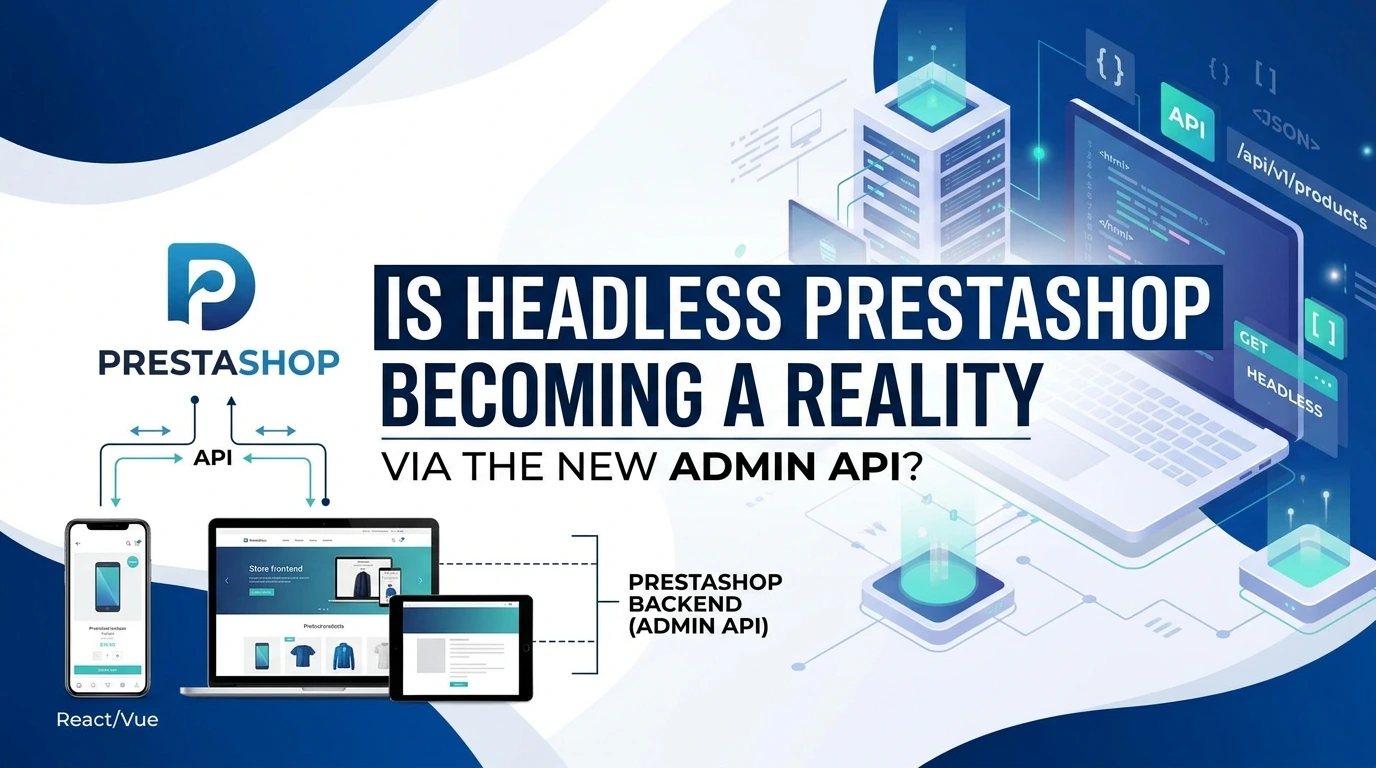
Is PrestaShop finally ready to embrace the headless e-commerce revolution? With the rollout of its modern Admin API, developers and merchant brands are taking a fresh look at decoupling their frontend experience from the traditional monolithic architecture.
By leveraging API-driven communication, this new capability opens the door to lightning-fast custom frontends built on frameworks like React, Vue, or Next.js. Here is what this evolution means for your online store’s scalability, performance, and future growth.
What Is Headless PrestaShop and Why the Admin API Matters
Headless PrestaShop means running your storefront as a separate application from the PrestaShop core, using the Admin API introduced in PrestaShop 9 to manage orders, customers and configuration programmatically. The Admin API is a modern REST interface that authenticates with OAuth 2.0 client credentials, so a Next.js front end, a warehouse system and a mobile app can each hold their own scoped credentials instead of sharing keys. It does not replace the older Webservice API, which still handles catalogue reads and stock; it exposes the administrative layer that headless builds previously had to fake with glue code.
That split is what headless commerce means: a React or Next.js front end fetches product data over HTTP and renders it however you like, while PrestaShop keeps handling pricing rules, tax, stock movements, invoice generation and carrier logic. The front end stops being a theme and becomes an application.
Until recently, that split was awkward in PrestaShop. The classic Webservice API was built for resource-level CRUD (create, read, update, delete) on entities such as products and categories, and it still works well for that. What it never handled comfortably was the administrative layer: the operations a merchant performs inside the back office every day.
- Order lifecycle management, including status changes and refunds
- Customer account and address handling across multiple contexts
- Shop configuration, settings and module-related state
- Consistent authentication and permission scoping for external systems
The Admin API was introduced in PrestaShop 9 to fill exactly that gap, and its authentication story is deliberate: it supports OAuth 2.0 client credentials, which suits machine-to-machine integrations where no human logs in. A headless front end, a warehouse integration and a mobile app all need to talk to the same shop without sharing cookie sessions.
The Admin API does not replace the Webservice API; it completes it, and knowing which one to call for which job is the whole skill.
If you build on PrestaShop regularly, the practical follow-on work usually involves modules, since custom checkout logic, carrier rules and loyalty flows still live there rather than in the API layer. FME Modules, an official PrestaShop Partner, builds exactly that kind of module for merchants extending their store.
How the New Admin API Completes the Headless Stack
Under the old model, a headless PrestaShop build leaned on the Webservice API for data and on a patchwork of direct database reads for everything else. The Admin API closes that gap, exposing the back-office resources a decoupled front end or a custom PIM actually needs to read and write.
The most useful change is authentication. The Admin API supports OAuth 2.0 client credentials, so a storefront app, a mobile client or a fulfilment service can each hold its own scoped credential instead of sharing one global key. With the Webservice API, a key leaked to an agency or a marketplace integration meant rotating the key and updating every consumer. Here, you revoke one client and the rest keep running.
The two APIs are not replacements for each other, and treating them as such causes real problems. Think of the Webservice API as a general-purpose door into your catalogue: products, combinations, stock, customers, orders. The Admin API is a newer, more structured set of endpoints aimed at administration. A typical headless deployment runs both:
- The Webservice API handles bulk catalogue reads, price and stock retrieval, and order ingestion from the storefront.
- The Admin API handles configuration changes, administrative operations, and anything that historically forced you to open the back office by hand.
- Your own middleware, not the browser, decides which of the two to call for a given job.
That division matters because CRUD coverage is not identical across the two. Before you design a workflow, confirm whether the resource you are touching is exposed through the Admin API or only through the Webservice API or direct database access. A pragmatic build treats the Admin API as the preferred path for admin-side operations and falls back to the Webservice API where coverage is thinner.
The Admin API does not replace the Webservice API; it removes the reasons you had to leave your front end to manage PrestaShop.
Because both surface as standard HTTP endpoints, the integration layer is largely predictable. In a headless setup you typically place a middleware service between the storefront and PrestaShop: it authenticates, caches, and maps platform responses into the shapes your front end expects. Any competent team can write that layer, but if you would rather not maintain it, an experienced PrestaShop development partner can build the glue and the supporting modules around it. The practical result is a smaller stack: fewer bespoke scripts, fewer cron jobs poking at the database, and one consistent way to talk to your store's administrative layer.
What Can You Actually Build With It? Real Use Cases
The Admin API turns headless PrestaShop from a diagram into a shipping project. Each scenario below leans on a different slice of the API, and each one was either painful or impossible before it existed.
Custom React and Next.js storefronts
A Next.js storefront needs to read product data, categories and stock without hammering the SQL database, and it needs to place an order and create a customer record. The Admin API handles the write side (customer creation, order retrieval) through authenticated REST calls, while your front end renders product pages at build time or on request. The realistic constraint is that catalogue reads are still largely the Webservice API's job, so plan for two integration layers, not one, and keep the API credentials scoped separately for each.
Mobile apps for iOS and Android
A native app needs token-based auth and JSON responses it can cache, which is exactly the shape OAuth 2.0 client credentials produce. Your app stores a short-lived access token, refreshes it, and calls endpoints without embedding shop credentials in the binary. A leaked mobile build should never expose a shop admin key, and token scoping keeps the blast radius small.
Point-of-sale and back-office integrations
If your shop runs a physical counter alongside the webshop, the Admin API lets a POS terminal read current stock and push a completed sale back into PrestaShop. The order lands in the same back office your team already uses, so reconciliation happens in one place rather than across two systems. Any ERP or warehouse tool you already run can follow the same pattern: pull orders for fulfilment, push stock adjustments back.
Multi-channel and marketplace sync
Selling on marketplaces means order volume arrives from several directions at once. An integration built on the Admin API can poll for new orders and update stock levels on a schedule, so a sale on one channel reduces availability everywhere else.
- Marketplace orders pull into PrestaShop as standard orders for unified fulfilment.
- Stock adjustments push outward so listings stay accurate across channels.
- Customer records sync once, avoiding duplicate accounts per channel.
Most teams building these integrations still need custom PrestaShop modules to handle authentication, mapping and error recovery cleanly. That is where an experienced PrestaShop Partner such as FME Modules typically plugs in.
Is the Admin API Ready for Production? Trade-offs and Limitations
The short answer is that the Admin API is production-ready for teams already running PrestaShop 9 or planning an upgrade, but it is not a drop-in replacement for the Webservice API on older stores. PrestaShop 9 ships it as its headline feature, and the project opened contributions for review starting September 2025 to shape a more consistent integration layer, which tells you the surface is still being refined rather than frozen. The PrestaShop roadmap lists it alongside two experimental features, multi-carrier support and a new discounts manager, so expect the stable core to be the safer foundation for launch and the experimental areas to need your own testing.
Compatibility is the first real constraint. OAuth 2.0 client credentials mean your client app authenticates with a token rather than a per-user key in a query string. That is a genuine security improvement, but it also means your existing Webservice API integrations, with their API keys and CRUD-style endpoints, will not simply carry over. Legacy modules that patch behaviour by hooking into back-office controllers often have no equivalent on the REST side, so anything custom you built for the old admin will likely need rewriting.
- Token handling adds moving parts: token storage, refresh logic and rotation policy all become your responsibility.
- Coverage gaps remain, so some operations still need a custom endpoint, a dropped Webservice call, or a direct database path.
- Latency shifts from local call to network call, so batch operations and caching deserve more thought than they did before.
- Reporting load is the easy trap: pulling large order sets through the API is slower than querying the database directly, so keep analytics reads off the request path.
Security practice matters more here, not less. Keep client secrets server-side, never in a browser bundle or a mobile app you distribute, and scope credentials to the narrowest set of endpoints your integration actually needs. Audit token usage the way you would any other privileged account.
Treat the Admin API as the integration layer you build on top of, not a switch you flip on a mature store. Plan a staged migration: run it in parallel with your existing Webservice API, move one workflow at a time, and confirm performance and coverage before retiring anything. For teams that need the old administrative behaviour preserved while you transition, FME Modules builds PrestaShop modules that can bridge that gap rather than forcing an all-or-nothing rewrite.
How to Plan Your Migration to a Headless PrestaShop Setup
Migrating to headless PrestaShop is a project, not a switch. The stores that succeed treat it as a staged replacement of the presentation layer while the PrestaShop back office keeps running the catalogue, orders and customers exactly as before.
1. Audit what your storefront actually does today
Before choosing anything, list every job the current theme performs: product listing, faceted search, cart calculation, checkout, customer account pages, CMS blocks, and any module output injected into templates. Modules that render directly into .tpl files are the usual blockers, because their output does not exist as data an external frontend can request.
Sort that list into three buckets: data the Admin API or Webservice API can expose, logic you can rebuild in the frontend, and functionality tied to a module that has no API surface. That third bucket decides your timeline.
2. Choose a frontend framework that fits your team
The framework choice matters less than who maintains it. A Next.js or Nuxt team will move faster in React or Vue respectively; an agency already fluent in one ecosystem should not retrain mid-project.
- Server-rendered frameworks suit SEO-dependent catalogues where product pages must be indexed.
- Static generation works well for content-heavy landing pages that change infrequently.
- Whatever you pick, confirm it can handle cart state client-side and reach your PrestaShop instance over HTTPS.
3. Plan data synchronisation and caching
Decide which data is fetched live and which is cached. Stock levels and prices during checkout need fresh reads; category descriptions and images can sit in a cache layer for hours. Give every cached entity a clear invalidation trigger, usually a webhook or a scheduled job that fires when a product or order changes in PrestaShop. Sketch this as a simple table before writing any code, mapping each data type to its source, refresh frequency, and fallback behaviour when the API call fails.
4. Handle authentication deliberately
The Admin API uses OAuth 2.0 client credentials, which suits server-to-server calls from your frontend's backend. Never expose those credentials in browser code. If you still rely on the older Webservice API for parts of the stack, keep its key separate and scoped to the narrowest permissions that work.
5. Migrate incrementally, not in one release
Run the headless frontend alongside the existing theme and move one section at a time, starting with something low-risk such as category pages. Test checkout end to end with real orders before touching the live payment flow.
A headless migration fails when it is launched as a big bang; it succeeds when each section is proven in production before the next one moves.
Common Pitfalls When Going Headless with PrestaShop
Most headless PrestaShop projects that stall do so for predictable reasons. The front end looks impressive in a demo, then order volume arrives, and the cracks show up in the same five places.
- Treating the Webservice API as infinitely elastic. It throttles, it returns large payloads, and a product listing page that fires dozens of calls per visit will hit those limits fast. Cache responses on your own layer rather than querying PrestaShop on every request.
- Skipping a caching strategy. A headless storefront still needs edge caching, ISR or equivalent, and sensible cache invalidation when stock or prices change. Without it, your API becomes the bottleneck that the old full-page cache used to hide.
- Breaking SEO during the switch. URL structures, canonical tags, hreflang and structured data all live on the front end now. If nobody owns them, you lose indexed pages quietly over weeks rather than loudly overnight.
- Assuming your modules still work. Modules built for a theme's hooks have nothing to hook into once the theme is gone. Payment, shipping, tax and checkout logic often need rewriting against the API rather than reusing as-is.
- Over-engineering on day one. Microservices, a separate search cluster and a custom admin panel before you have traffic is a common way to spend six months and ship nothing.
The Admin API, with its OAuth 2.0 client credentials flow, makes back-office integrations cleaner, but it does not remove these constraints. If your existing modules already handle a function well, such as checkout customisation or order exports, check whether the vendor offers an API-ready version before you rebuild it from scratch.
Headless fails on operational discipline far more often than on architecture, so budget for caching, SEO ownership and module rewrites before you write a single component.
The Road Ahead: What's Next for PrestaShop's API Strategy
The Admin API is no longer a side project buried in a developer forum. PrestaShop has placed it at the centre of its platform roadmap, and the direction is clear: a modern, consistently designed integration layer that sits alongside the older Webservice API rather than replacing it overnight. Change won't arrive in one release.
What should you watch if you're planning a headless build?
- Roadmap signals. PrestaShop's published roadmap lists the Admin API among headline features, with experimental features such as multi-carrier support and a new discounts manager appearing in the same cycle, so you can gauge which parts of the admin are maturing fastest.
- Community contributions. Work on the integration layer is open to outside contribution, with review of contributions forming part of how the API develops, so gaps you care about can genuinely be influenced.
- Ecosystem follow-through. Third-party modules and services will need time to expose their own data through the newer endpoints.
Treat the Admin API as a commitment in motion: stable enough to design around, still evolving enough that you should keep your integration layer loosely coupled.
If your storefront depends on custom functionality, this is the moment to talk to your development partner about how those modules will surface data through a headless setup. Building toward documented endpoints now costs far less than retrofitting later, and it keeps your options open whichever API generation you end up running on.
Why Headless PrestaShop Finally Has a Complete Backend
Headless PrestaShop means decoupling the storefront from the PrestaShop core: the back office still manages products, orders and customers, while a separate front end (Next.js, Nuxt, a mobile app, a kiosk) renders the shopping experience. Until recently, the missing piece was administration. The Webservice API handled catalogue reads and basic CRUD, but there was no clean, modern way to manage a decoupled store's orders, carriers or discounts programmatically. The Admin API is that missing piece.
Introduced in PrestaShop 9, and described as the platform's biggest new feature, the Admin API is a REST layer built for exactly the jobs headless merchants kept hitting walls on. It is also a sign of where the ecosystem is heading: headless commerce is no longer a niche experiment, and adoption is concentrated in English-speaking markets where composable stacks are common. PrestaShop's own logic for adding an administrative API is straightforward: a decoupled front end needs an administrative back door.
This guide explains what the Admin API does, how it differs from the Webservice API you may already be using, where the two overlap, and what a realistic migration looks like.
What the PrestaShop Admin API Actually Is
The Admin API is a modern REST API introduced in PrestaShop 9. It authenticates with OAuth 2.0 client credentials, which means an external application requests a token using a client ID and secret, then sends that token with each call. No API keys sitting in query strings, no per-resource permissions spread across the back office. A headless middleware layer or a custom admin dashboard can authenticate once and act on behalf of the store, rather than embedding long-lived credentials in client-side code.
Where it sits in the decoupled stack
A headless PrestaShop architecture typically has three layers: the PrestaShop core and its database, a middleware or BFF (backend-for-frontend) layer, and the presentation layer. The Admin API lives in that middle layer, acting as the channel through which your custom admin tools, order management screens and automation workflows talk to PrestaShop. The public Webservice API still serves the storefront side: product listings, stock levels, category trees. Together they cover both halves of a headless build.
How the Admin API Differs from the Webservice API
If you have built on PrestaShop before, you know the Webservice API well. It is enabled per key, permissions are granular per resource, and it speaks in PrestaShop's own object model. The Admin API keeps the REST foundation but changes the operational assumptions.
| Consideration | Webservice API | Admin API |
|---|---|---|
| Authentication | API key per webservice account | OAuth 2.0 client credentials |
| Primary use | Storefront catalogue and stock reads | Administrative operations and automation |
| Introduced in | Earlier PrestaShop versions | PrestaShop 9 |
| Typical consumer | Front-end themes and mobile apps | Middleware, custom dashboards, integrations |
The two are complementary, not replacements. A headless build uses the Webservice API to feed a fast storefront and the Admin API to manage the business behind it.
The Admin API does not retire the Webservice API; it completes it, giving headless PrestaShop both a storefront channel and an administrative one.
Why Headless Merchants Kept Hitting a Wall
Anyone who has run a decoupled PrestaShop store knows the pattern. The storefront performs beautifully. Then a real operational need arrives, and there is no clean way to serve it.
- A warehouse team wants a custom picking screen that pulls order lines from PrestaShop. The Webservice API can read orders, but writing back status changes means fighting its object model.
- A merchant wants a mobile app for their support staff to update order states on the move. There is no standard, token-based route for it.
- A B2B wholesaler wants automated pricing rules applied at scale. Discount logic sits in the back office, not in an API.
The Admin API closes those gaps, giving the operational layer the same REST-first treatment the storefront already had. That is why the puzzle-piece framing is accurate: headless PrestaShop was deliverable before, but only by writing glue code that re-implemented administrative functions. Now a documented API does it.
What You Can Realistically Build
The value of the Admin API is easiest to see through the workflows it enables. These are the patterns that show up most often in decoupled PrestaShop projects.
Custom admin dashboards
Instead of forcing staff into the standard PrestaShop back office, teams build a lighter, role-specific interface. A picker sees only orders to fulfil, a support agent sees only tickets tied to specific orders, a merchandiser sees only the fields they are responsible for. Each surface authenticates with OAuth 2.0 and talks only to the data it needs.
Order and fulfilment automation
Middleware can react to order events, push them into a warehouse system, apply status updates, and reflect those updates back into PrestaShop. This is the workflow that most often tipped decoupled projects from "theoretically possible" to "worth shipping".
Multi-channel and B2B operations
A marketplace connector or a B2B portal needs to manage orders and discounts programmatically across all its channels. The Admin API gives that layer a stable contract with PrestaShop, rather than a bespoke integration that breaks on every upgrade. A team that learns the Admin API once can apply that knowledge across the whole integration surface.