


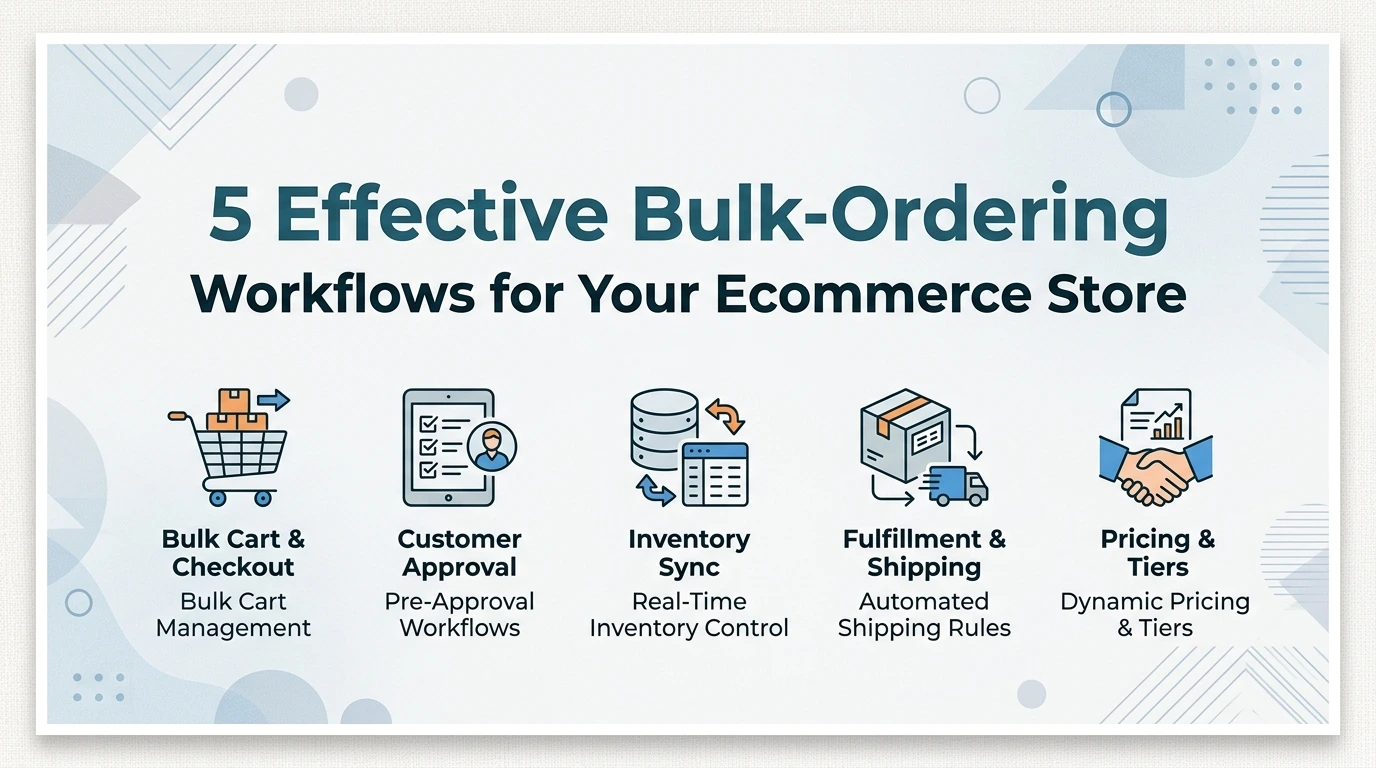
Managing bulk orders manually can quickly turn into an operational bottleneck that stalls your e-commerce growth. Implementing automated workflows ensures seamless order processing, reduces human error, and saves valuable hours for your team.
From real-time inventory sync to dynamic volume pricing, structuring the right systems elevates the wholesale shopping experience. Here are five effective bulk-ordering workflows designed to scale your business effortlessly.
Why Wholesale Buyers Leave, and How Bulk-Ordering Workflows Stop It
A bulk-ordering workflow is the end-to-end process a wholesale customer follows to place large or repeat orders: product discovery, quantity entry, order upload, approval, and reorder. Effective workflows cut friction at every step, which directly increases reorder frequency and retention. In PrestaShop, this typically means a B2B portal with Quick Order forms, CSV upload, and reorder-from-history. Most B2B stores lose wholesale accounts to friction, not price.
A buyer who has to email a spreadsheet, wait for a manual quote, then chase an invoice will quietly move that spend to a competitor with a smoother path. Pricing rarely wins them back once the habit breaks.
Workflow design is the retention lever because it decides how much effort every reorder costs your buyer. Cut the steps, and you raise reorder frequency; add steps, and you train buyers to order less often.
The PrestaShop Store Pickup module lets customers choose Store Pickup at checkout, so they avoid shipping fees and waiting time, and it removes a delivery thread from the repeat-order path entirely. There is no subscription fee, and it includes free lifetime support and upgrades.
- Quantity Entry Friction: clicking plus/minus buttons twenty times for each line item feels like punishment at wholesale volumes.
- No Reorder Path: a buyer who cannot repeat last month's order in a few clicks rebuilds it by hand, or does not bother.
- Account Gaps: no buyer-specific pricing, tax rules or payment terms means every order triggers an awkward email thread.
- Slow Confirmation: holding stock for a pending manual quote gives a buyer every reason to buy elsewhere.
Workflows that support pickup and self-collection remove a different kind of friction entirely. Retention follows from what your buyer no longer has to do.
What Is A Bulk-Ordering Workflow for Wholesalers?
A bulk-ordering workflow is the connected sequence of screens, rules and confirmations a trade customer moves through from building a large basket to receiving a confirmed order. In PrestaShop terms, it is not a single module or checkbox. It is the chain of cart rules, price display settings, order validation steps and back-office handling a wholesale buyer experiences on every repeat purchase.
That distinction matters because most merchants optimise individual pieces (a quantity discount here, a tax rule there) while leaving the sequence itself clumsy. Buyers rarely complain about a missing feature. They stop ordering when the sequence forces them to re-enter the same data, wait for a manual quote, or guess whether their line prices are correct.
A typical wholesale workflow covers five stages:
- Identification: the buyer signs in and their customer group, catalogue visibility and price list are applied automatically.
- Basket Building: products are added in volume, often by reference or from a previous order rather than one click at a time.
- Pricing and Validation: quantity tiers, tax rules and minimum order thresholds are calculated in the cart.
- Checkout and Fulfilment: the buyer selects delivery, collection or another arrangement, then confirms.
- Post-order Handling: the order, invoice and reorder path are stored so the next cycle takes less effort.
Design all five as one continuous flow and bulk ordering stops feeling like an administrative chore. Break any single link, and the buyer absorbs the cost in time, which is exactly what pushes them to a competitor.
How Does Bulk Ordering Work for Wholesale Customers?
Traditional wholesale ordering still runs on email threads, phone calls and spreadsheets. A buyer types quantities into a spreadsheet, emails it to their account manager, and waits for a reply confirming stock. That exchange can stretch across days, and every manual step invites transposed figures and missed lines.
A digital bulk-ordering workflow replaces that back-and-forth with a structured path through your PrestaShop store. The buyer logs into their trade account, browses the catalogue, and enters quantities directly against each product. On PrestaShop, you manage this through Catalog and Orders, with Customer Groups controlling who sees wholesale pricing.
The standard flow runs in a predictable sequence:
- Log in to an approved wholesale account with the correct customer group assigned.
- Browse categories or search by reference, then filter by attributes such as size or colour.
- Add quantities across multiple products rather than repeating a single-product add-to-cart.
- Review the full basket, including tiered pricing and stock availability, before committing.
- Approve the order internally if the buying role requires sign-off.
- Submit and receive automated order confirmation with a reference number.
That predictability is the point. Buyers know where every step sits, and you see accurate order data the moment it is submitted. PrestaShop modules handle the pieces native functionality does not cover, whether that is reordering in a click via PrestaShop Buy Again or confirming collection through a store pickup option.
1. The Quick Order Pad, Paste SKUs, Get a Cart
The quick order pad is the simplest bulk ordering workflow you can give a wholesale buyer: a single text area or grid where they paste a list of product references and quantities, and PrestaShop builds the cart in one pass. No category browsing, no attribute combinations, no add-to-cart button pressed twenty times.
Picture a pharmacy chain buyer reordering the same lines every fortnight. They keep those references in a spreadsheet. With a quick order pad, they copy one column, paste it in, set the quantities beside each line, and land on the cart page with everything matched. The whole job takes under a minute.
What makes this workflow retention-friendly is the feedback it gives. A well-built pad shows each matched product with its name, image and unit price, and flags any reference it could not resolve so the buyer fixes a typo instead of abandoning. PrestaShop's product reference field and combination references are the usual lookup keys here, which is why clean reference data in your catalogue matters more than any clever interface.
- Paste or type multiple references at once
- Enter quantities per line, with pack sizes respected
- See live price totals before committing
- Get a clear warning on unmatched or discontinued references
For buyers who already know your catalogue, this removes the single largest source of friction: hunting. A buyer who can rebuild a repeat order in one paste has almost no reason to shop around.
2. CSV & Spreadsheet Upload, Bulk Ordering for Wholesalers At Scale
The CSV upload workflow lets a buyer download a template, fill in SKU and quantity columns in Excel or Google Sheets, then upload the file straight into their PrestaShop cart. Nothing is typed twice, and nothing depends on the buyer finding each product page.
Good implementations validate before they add anything. The module checks that every SKU exists and is active, converts short codes and supplier references through the product reference field, and rejects negative or non-numeric quantities. Rows that fail should be listed back to the buyer with a reason, so they can fix the file and re-upload rather than starting over.
PrestaShop handles part of this natively: the Advanced Parameters > Import area accepts CSV files, and store owners can map columns to fields, set the delimiter and choose UTF-8 encoding to keep accented product names intact. What native Import does not do is drop a validated file into a live customer cart, which is why wholesale-oriented PrestaShop modules exist to close that gap.
Wholesalers expect it because their buying happens in spreadsheets already. Buyers arriving with an ERP export, a stock sheet or last season's reorder list need that file accepted as-is. File-in, cart-out is also far quicker than any manual entry method, and speed is what stops them from splitting the order across your competitors.
3. Reorder from Order History, One-Click Repeat Purchasing
A replenishment buyer who orders the same lines every month should never rebuild that basket from scratch. The reorder workflow shows the account's past orders inside the customer area, with a control that duplicates a previous order straight into the cart. One click, then checkout.
The second order is where retention is won or lost: if repeating a purchase takes less effort than evaluating a rival supplier, the buyer stays. Competitors can match your price on paper, but they cannot match the muscle memory of an order that is already built.
On PrestaShop, this behaviour belongs in the customer account, in Order History and Details, where each completed order links to its own detail page. A reorder module adds a repeat action there, so buyers work from their own transaction record instead of a catalogue search. The PrestaShop Buy Again - One Click Reorder Module takes this approach.
Support the workflow on three fronts:
- Duplicating the whole past order, so seasonal or standing lines return together.
- Allowing quantity edits before the buyer confirms, since volumes rarely repeat exactly.
- Flagging lines that are out of stock, so a missing item never blocks the rest of the basket.
For accounts that collect in person, pairing reorder with store pickup module keeps the repeat path short, letting buyers reorder and choose collection rather than re-entering delivery details each time.
4. The Approval Workflow, Supporting Larger Buying Teams
Small wholesale accounts order the same way every time: one person decides, one person buys. Once a buyer grows into a chain, a franchise group or a multi-branch distributor, purchasing splits across staff who each know their own location's needs but none of whom should be spending freely. Without sub-accounts and buying limits, that account either centralises everything through one overloaded manager or drifts to a supplier that already solved the problem.
PrestaShop's native customer groups and customer management let you build the foundation: separate logins for each purchaser within the account, grouped so they see your wholesale price list rather than retail pricing. From there, the workflow question is who can commit the account to what.
- Set spending limits per purchaser so a branch manager can restock routine lines without sign-off, while larger commitments route upward.
- Route orders above a threshold into a pending state so a senior buyer reviews before anything is confirmed.
- Keep each purchaser's order history attached to their own login, so reordering rights and visibility stay proportionate to responsibility.
This is the workflow that stops a growing buyer from outgrowing you. Approval chains add friction, but that friction lives inside your store instead of in a spreadsheet emailed to a competitor. Wholesalers rarely switch suppliers over price alone, but they will switch over a purchasing process that cannot keep up with their headcount.
If part of the team collects goods themselves, PrestaShop Store Pickup | Pickup Orders from Store fits neatly here, letting approved purchasers choose collection at checkout so branch staff avoid shipping fees and waiting time on urgent top-ups.
5. The Integrated Procurement Workflow, Punch: Out, cXML, and API Ordering
At the top of the market, wholesale buyers do not shop on your storefront at all. They raise a requisition inside a procurement system such as SAP Ariba, Coupa, Oracle Procurement Cloud or Jaggaer, and expect your catalogue to appear there. PunchOut is the mechanism that makes this possible: the buyer clicks through from their procurement platform, lands on a PrestaShop catalogue session already scoped to their negotiated prices and assortments, builds a cart, and transfers it back as structured data.
Once the cart returns, cXML or OCI carries the line items, quantities and agreed pricing into the buyer's system for approval. Orders then arrive automatically rather than being typed in by a human, which removes transcription errors and the "we'll send it over later" delay that kills repeat purchasing.
The retention logic here is structural rather than emotional. Replacing your store inside a procurement platform means re-qualifying as a supplier, re-mapping punchout credentials, re-testing catalogues and retraining staff. That cost is high enough that buyers tolerate a great deal before switching.
The deeper you sit inside a buyer's procurement system, the more expensive it becomes to leave you.
Smaller wholesale operations can adopt parts of this without a full enterprise integration. PrestaShop's Web Service API allows catalogue, price and order data to be exchanged with ERP and accounting systems, and many stores use CSV or XML feeds to mirror stock into buyer portals. Where buyer teams still order conversationally, tools such as the PrestaShop WhatsApp Order and Chat Module keep purchase requests flowing without forcing a portal login.
Enterprise readiness also means the fulfilment options have to extend beyond a courier label. Large buyers often have their own collection arrangements, and the FME Store Pickup module lets a regional branch or buying office collect against a purchase order instead of waiting for delivery.
Wholesale Reorder Workflow vs Manual Bulk Ordering: Which Retains Better?
Retention rarely breaks at the first order. It breaks later, when a buyer is tired, the catalogue has changed, and they are copying SKUs off last month's invoice.
| Factor | Manual bulk ordering | Automated reorder workflow |
|---|---|---|
| Time per order | Scales with line count, so large orders are slow | Largely fixed regardless of line count |
| Transcription errors | Rises every time a buyer retypes a SKU | Falls away, because lines come from stored data |
| Ordering confidence | Depends on the individual buyer's care | Built into the process itself |
| Effect on retention | Buyers drift to whichever supplier is easier | Repeat purchasing becomes the path of least resistance |
Manual bulk ordering still has a place. A one-off order for an unusual item is genuinely faster when typed out. But for the regular replenishment that defines a wholesale relationship, friction compounds quietly until the buyer leaves.
The workflow a buyer repeats every month matters far more to retention than the features you show them once.
A Buy Again and one-click reorder module collapses a repeat purchase into a single action from the customer account, which removes almost all of the friction above.
How to Create A Bulk-Ordering Workflow for Wholesalers Step by Step (in PrestaShop)
Building a wholesale ordering workflow in PrestaShop means changing how the store treats a customer before you change anything they see. Work through the phases below in order, because each one depends on the last.
- Enable B2B mode. Turn on the B2B setting in PrestaShop's Customer Settings so business accounts, tax rules and invoice-based ordering behave correctly for trade buyers.
- Create customer groups. Build a group per tier (for example, Bronze, Silver, Gold) and assign each wholesale account to its group. Groups are what make tiered pricing and quantity rules possible later.
- Configure pricing and minimum order quantities. Attach specific prices or discount rules to each group, then set minimum quantities on the products wholesalers buy in cases or pallets rather than singles.
- Install the ordering module for the workflow you chose. A quick order pad, CSV upload or reorder module all install from PrestaShop's Module Manager in the same way.
- Connect repeat purchasing tools. Link accounts to PrestaShop Buy Again if one-click reordering matters to your buyers, so the workflow has a repeat path.
- Test with real buyer scenarios. Log in as a test wholesale account and place an order the way your biggest customer would, then check that pricing, tax and quantity rules behave as expected.
For a route that shorter workflows often trigger, our PrestaShop Store Pickup module gives trade buyers a collection option at checkout, priced at $49.00 with no subscription fee and free lifetime support and upgrades.
Choosing the Right Workflows to Retain Your Wholesale Buyers
Not every workflow deserves to go live first. Match the workflow to how your buyers actually order, and you will see retention gains sooner.
| Buyer profile | Start with | Why it retains |
|---|---|---|
| Cafes, salons, small shops ordering the same lines weekly | Reorder from order history | Removes the friction that causes buyers to drift to a competitor |
| Buyers with long, variable SKU lists | Quick order pad | Speed turns a chore into a routine they repeat |
| Larger accounts managing hundreds of lines | CSV and spreadsheet upload | Fits their existing purchasing files, so switching costs feel low |
| Multi-person buying teams | Approval workflow | Keeps procurement control inside the account, not outside it |
Order volume matters more than company size. A small chain ordering weekly values a reorder button more than a PunchOut connection it will never configure.
If your buyers collect goods locally, combine quick ordering with PrestaShop Store Pickup | Pickup Orders from Store. It lets customers select store pickup at checkout, avoiding shipping fees and waiting time.
Pick the workflow your buyers already expect, then add the next one once reorders become habitual.
Why Bulk Ordering Workflows Decide Whether Wholesale Buyers Stay
A bulk ordering workflow is the specific path a wholesale customer takes to build a large, repeatable order on your PrestaShop store, and it is the single biggest driver of whether that buyer returns next season. Most merchants treat wholesale as a pricing problem and add a customer group with a discount. Wholesale buyers judge you on something else: how fast they can turn a stock list into a confirmed order.
A boutique ordering dozens of SKUs does not compare your catalogue to a competitor's first. It compares how long each order took to place. That is a workflow question, not a feature question, and it is the difference between a buyer who returns quarterly and one who switches suppliers after a couple of orders.
What Wholesale Buyers Actually Need From a Bulk Ordering Workflow
Before choosing workflows, separate what wholesale buyers need from what retail buyers need, because the two groups are shopping for different reasons.
- Retail shoppers browse, compare and buy one or two items on impulse. Wholesale buyers arrive with a list they already decided on.
- Retail shoppers respond to merchandising and recommendations. Wholesale buyers respond to speed, accuracy and reorder convenience.
- Retail shoppers tolerate checkout friction because the purchase is small. Wholesale buyers abandon when a long order takes far too long to enter.
The practical consequence is that bulk-ordering features you already own (customer groups, tiered pricing, quantity discounts, minimum order values) only retain buyers when they are chained into a repeatable sequence. Wholesale retention is built by workflow design, not by the number of features you switch on.
Workflow 1: The Bulk Quantity Entry Path
What It Solves
This is the foundation. Your PrestaShop catalogue needs a way for a buyer to enter quantities across many products in a single pass rather than opening many product pages in as many tabs.
How to Design It
Group wholesale products into categories that mirror how buyers think: size, colour, pack quantity, season. Then confirm that quantity fields on category listings and product pages accept large numbers without friction, and that your customer group pricing displays the correct per-unit price at wholesale volumes.
A buyer ordering large quantities of several sizes should see the total recalculate clearly before checkout. If your theme recalculates slowly or hides the wholesale price until the cart, buyers lose confidence and start double-checking orders manually in a spreadsheet.
Where Retention Breaks
When the buyer has to remember last season's quantities, or cross-reference a PDF, the workflow has shifted work back onto them. That is the moment they start looking at other suppliers.
Workflow 2: The Reorder Path
What It Solves
Repeat purchasing is the goal of wholesale relationships, so the second workflow should make reordering the path of least resistance. A buyer who reordered from you in March should be able to repeat that exact order in minutes, not rebuild it from scratch.
How To Design It
Give wholesale customers a direct route back into their previous order so they can add the same lines to the cart in one action. The PrestaShop Buy Again module handles this by letting customers re-add a past order to the cart with one click, which turns a lengthy rebuild into a short review and confirm.
Pair reordering with a clear order history that shows past quantities and dates. Buyers who can see last season's order next to a reorder button stop keeping their own records, which makes your store the record of truth for their purchasing.
Where Retention Breaks
If the reorder function ignores current stock or discontinuations, buyers get a broken cart and lose trust in the shortcut. Confirm that reordered items check availability properly before checkout.
Workflow 3: The Fast-Confirmation Path
What It Solves
Wholesale buyers often place time-sensitive orders during a stock window. Every step between adding items and confirming payment is a place where a large order can be lost.
How to Design It
Reduce checkout to the minimum a wholesale order needs: address selection, delivery method and payment terms. Remove retail-oriented upsells, gift options and marketing pop-ups for your wholesale customer group. If you allow account-based payment terms, make that the default visible option.
Consider adding a store pickup or collection option for local wholesale accounts, so buyers who collect in person can skip shipping and confirm faster. The PrestaShop Store Pickup module by FME lets customers choose store pickup at checkout, so buyers avoid shipping fees and waiting time while you remove a step and a shipping cost from their order. It carries no subscription fee, with free lifetime support and upgrades.
Where Retention Breaks
A checkout optimised for one-off retail orders forces wholesale buyers through irrelevant screens. Unnecessary clicks per order, repeated across many accounts, add up to a lot of avoidable friction.
Workflow 4: The Enquiry Path for Complex Orders
What it Solves
Some wholesale orders cannot be completed in a cart: custom quantities, mixed pallets, negotiated terms, or products priced on request. If your only workflow is a standard checkout, these buyers have nowhere to go and take the conversation off-platform.
How to Design It
Give buyers a direct channel to convert a product selection into a quote request or a conversation. Keep the enquiry path close to the product, so the buyer does not have to leave the catalogue, open an email client and re-describe what they wanted.
- Add a product-level enquiry option so buyers can ask about a specific line without copying the SKU manually.
- Keep enquiry history visible on the account, so a returning buyer can reference the earlier conversation.
- Route enquiries to the same team that manages the account, so the buyer is not explaining their business twice.
Messaging-based ordering works well here for many B2B buyers.
Workflow 5: The Self-Collection Path for Local Trade Accounts
What it Solves
Plenty of wholesale relationships are local. A cafe, a salon or a builder's merchant orders in the morning and sends someone to collect the same afternoon. Forcing that buyer through a courier workflow adds a delivery wait and a shipping charge neither side wants.
How to Design It
Add a store pickup option at checkout so the buyer can choose collection instead of delivery, and make sure the order confirmation tells them where and when to collect. PrestaShop handles the checkout half through its carrier settings, while a dedicated module such as PrestaShop Store Pickup | Pickup Orders from Store adds the customer-facing choice and the pickup confirmation that native carriers do not provide. At $49.00, with no subscription fee and free lifetime support and upgrades, it removes both a shipping cost and a waiting day from the local repeat order.
Where Retention Breaks
If collection is offered but never confirmed clearly, buyers arrive at the counter to find nothing ready. The second time that happens, they stop choosing pickup and the convenience advantage disappears.
Verdict: Which Workflow Should You Build First?
If you only build one, build the reorder path. Replenishment is what makes a wholesale account valuable, and a buyer who can repeat last month's order in a click is the buyer least likely to shop around. Add the quick order pad next for anyone working from a long SKU list, then layer CSV upload, approval limits and collection options as your accounts grow.