


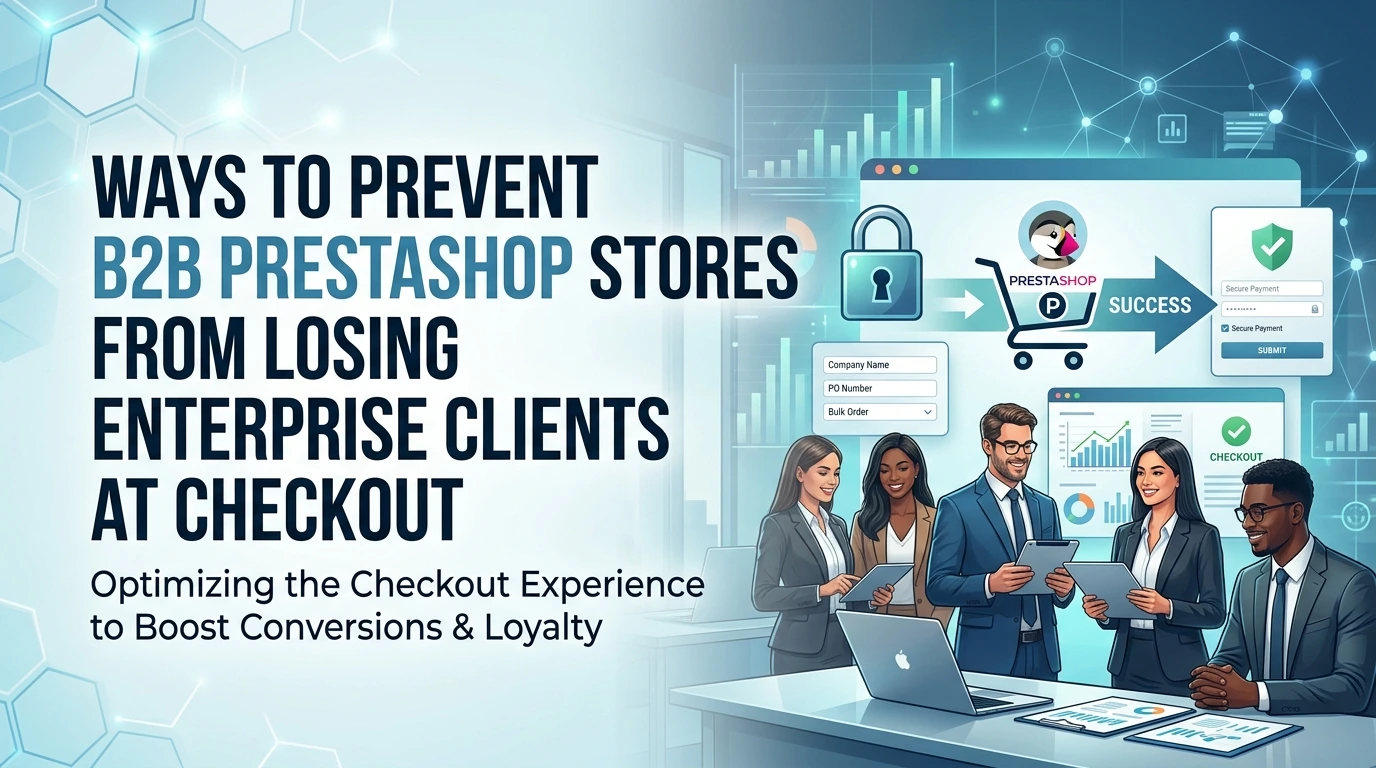
B2B PrestaShop stores lose enterprise clients when checkout lacks quotes, approval workflows, and payment terms. Unlike B2C buyers, enterprise customers need a checkout built around procurement processes.
In this blog post, we’ll show you how to optimise PrestaShop checkout for B2B needs and use AI-powered email, SMS, and WhatsApp recovery to win back abandoned carts.
B2B and B2C Buying Journey Comparison
Compare the two buying journeys to see the mismatch clearly:
| Checkout expectation | B2C buyer | B2B buyer |
|---|---|---|
| Quotes | Rarely needed | Often required for procurement |
| Payment | Card or digital wallet | Net terms, invoice, purchase order |
| Approval | Single person decides | Manager or finance team must approve |
| Speed | Fast is best | Accuracy and documentation win |
The default checkout treats every visitor as a solo consumer with a credit card. An enterprise buyer sees a wall between their company's purchasing process and your store. The moment they must work around your checkout instead of through it, the deal starts slipping away.
The lifetime value of one enterprise client can dwarf dozens of B2C orders.
This is why addressing the mismatch matters more than tweaking a discount code. A One Page Checkout PrestaShop speeds up the transaction for buyers who are ready to pay, but it does not solve approvals or net terms. For those, you must add quote request options, account approval flows, and alternative payment methods into the checkout itself.
Even after you build a B2B-friendly checkout, some carts will still be abandoned. Buyers get distracted, a manager takes two days to approve, or a competitor sends a better offer. That is where recovery becomes essential. Research cited by payment industry analysts shows around 39% of shoppers cite extra shipping costs as their main reason for leaving, and the same report highlights how financial terms shape B2B decisions. Intelligent, timed recovery messages can win back a meaningful share of those carts.
For B2B stores, the recovery message must respect the buyer's workflow. A reminder that arrives instantly looks desperate; one that arrives after a sensible delay, with a personalised note referencing their specific cart, reads like a professional follow-up. The PrestaShop AI Abandoned Cart Reminders module approaches recovery this way, sending personalised messages across the channels a B2B buyer actually checks, with dynamic discount codes and customer-specific placeholders such as cart total or buyer name.
The hidden cost of one abandoned enterprise cart
A single lost enterprise cart is not the same as a lost B2C order. When a consumer abandons a £45 basket of running shoes, you lose one transaction. When a procurement manager abandons a £12,000 order for office furniture, you lose that order, the quarterly reorders, the service contracts, and the referrals that come with a stable corporate account. The real loss is the lifetime revenue, not the cart value. Industry data helps put this in perspective. The global average conversion rate for ecommerce sits around 3.65%, while a good B2B conversion rate is closer to 2%. That gap is not a failure of your products; it reflects a fundamentally different buying process. Enterprise buyers do not impulse-purchase. They compare quotes, seek internal approval, and negotiate payment terms. Each of those steps is a chance for the cart to die quietly. Compare what drives abandonment in each context.
Studies show that 55% of shoppers abandon due to unexpected fees, and abandonment rates commonly exceed 70%. For B2B, the triggers are different: no visible net terms, no quote request option, no way to hold stock for a pending PO number. The buyer may not be frustrated with your products at all; they are frustrated that your checkout cannot match how their company buys. That is why treating a B2B abandoned cart like a B2C one misses the point. You are not chasing a quick impulse; you are rescuing a considered purchase. The recovery message must acknowledge the buyer's timeline and approval process. One recovered enterprise client can fund your cart recovery efforts for years. A single retained account often justifies the entire investment in smarter checkout tools, which is why dedicated B2B recovery deserves its own strategy rather than a generic email blast.
What are the top B2B checkout friction points in PrestaShop?
Enterprise buyers don't abandon carts the way consumers do. A consumer might leave because shipping is too expensive. A procurement manager leaves because the checkout simply doesn't support how their company buys. When you lose one enterprise client, you're not losing a single cart. You're losing a multi-year contract with recurring orders. That's why fixing B2B checkout friction matters far more than recovering individual sales.
Here are the specific friction points that stop B2B buyers from completing a purchase in a standard PrestaShop store:
- No quote request option. B2B purchases often require approval from finance or a purchasing committee. Without a way to request a formal quote, buyers either leave or force an invoice through an unsuitable flow.
- No net payment terms. Most enterprises pay on 30, 60, or 90-day terms. If your store only accepts card payments upfront, a buyer with an approved vendor list cannot place the order.
- No quick order by SKU or product reference. Procurement teams reorder the same items weekly. Forcing them to browse category pages and add products one by one wastes time they don't have.
- No account-specific pricing. A B2B buyer expects their negotiated tier, volume discount, or contract price to appear automatically. When prices don't match the agreement, they abandon the cart to query it.
- No ERP or CRM integration. Enterprises need the order to sync with their own systems for fulfilment, accounting, and inventory. If they must manually re-enter data, the checkout becomes a bottleneck.
This friction compounds. Industry research from Dynamic Yield shows 21% of shoppers abandon the site due to a complicated or lengthy checkout experience, and about 39% of shoppers list extra shipping costs as the main reason for abandoning carts. For B2B, the equivalent blocker isn't shipping. It's the missing payment terms and quote workflow.
Good news: PrestaShop supports these needs through dedicated modules. You can add quote request forms, define specific payment terms per customer group, and enable quick-order interfaces. The platform itself isn't the ceiling.
Your checkout should mirror how a B2B buyer actually works. When it does, the total value of that client relationship stays protected, not just the value of one cart.
How to optimise your PrestaShop checkout for enterprise buyers
Enterprise deals rarely fail because of product quality. They fail at the final step: a buyer who cannot get a quote, who lacks net terms, or who faces a registration form that demands details their procurement team never provided. Fixing that checkout means reworking a handful of PrestaShop settings and adding a few targeted modules. Here is the exact sequence.
Configure price per customer group
Enterprise buyers expect negotiated pricing, not the public list price. In PrestaShop, go to Price rules and set specific discounts per customer group. You can assign a wholesale group a 15% reduction automatically, so the cart total they see matches the contract they signed.
- Create a dedicated group for each pricing tier.
- Apply group-specific price reductions in the catalog settings.
- Make sure taxes display correctly for B2B customers who provide a VAT number.
When the cart total is correct from the first moment, a buyer has no reason to email sales for a manual adjustment. That removes one of the most common causes of B2B PrestaShop abandoned cart situations.
Enable quote requests for large orders
Not every enterprise order should be paid online. Bulk purchases, custom configurations, and annual contracts need a quote workflow. PrestaShop allows you to enable quote requests per product or per customer group, letting buyers submit an order for approval instead of paying immediately.
Pair that with a dedicated quotes module so requests route to the right sales rep automatically. The buyer gets a clear confirmation, and your team gets a structured pipeline rather than a scattered email thread.
Set up payment terms via modules
Net 30 and Net 60 are standard in B2B. If your checkout only offers credit card and PayPal, you are excluding buyers whose procurement policy requires invoicing. Modules for payment terms let you add invoice-based payment options that are visible only to approved customer groups.
You can also require order approval from a manager before the purchase is confirmed. That matches the internal sign-off process large companies already use, so the checkout mirrors how the buyer actually works.
Simplify registration for approved buyers
Enterprise account managers rarely have time to fill out long forms. Streamline the customer account creation process to ask for only the essentials: company name, VAT number, and a contact email. You can collect extra details later during the onboarding process.
Better still, let your team create accounts for approved buyers in the back office. The buyer receives a login link and skips registration entirely. The fewer fields between a returning buyer and checkout, the lower your B2B PrestaShop abandoned cart rate will sit.
Add automated recovery as a safety net
Even a polished checkout loses some carts. Enterprise carts fail when a buyer steps away for a procurement meeting and never returns. The FME cart abandonment module spots those carts and sends a personalised follow-up via email, SMS, or WhatsApp. Each message can include a unique discount code and the buyer's name, cart total, and a direct link to resume the order.
One recovered enterprise cart can pay for the module thousands of times over, so treat recovery as revenue protection rather than a marketing afterthought. You can also connect recovery messages to your quote workflow, reminding buyers that their pending quote is still valid. That turns a lost checkout into a scheduled follow-up, which is exactly how enterprise sales actually close.
Recovering the carts that still get abandoned: an AI-driven approach
Even a perfectly optimised checkout will lose some enterprise buyers. Approval chains stall, a procurement officer steps away mid-order, or a quote expires before the finance team signs off. The difference between a good B2B PrestaShop store and a great one is what happens in the hours after that cart goes silent.
Intelligent recovery is a revenue-saving strategy, not a desperate follow-up tactic. The cart reminder module takes the friction points discussed earlier and turns them into touchpoints. Instead of one generic email, it sends personalised messages through the channels your buyer actually uses: email for the procurement team, SMS for urgent approvals, WhatsApp for the decision-maker who never opens their inbox.
The AI element matters because timing is everything in B2B. Industry data shows the global shopping cart abandonment rate reached 70.22 percent in 2026, so sending one reminder and hoping is not a strategy. The module uses predictive timing to decide when a buyer is most likely to return, then delivers a discount code or a personalised message with customer-specific placeholders such as name and cart total. That level of context makes the reminder feel like account management, not marketing automation. Here is how it works in practice:
- Multi-channel delivery reaches the buyer on their preferred platform, so no reminder goes unseen.
- Dynamic discount codes give procurement teams a concrete reason to finalise the order before the quote expires.
- Performance tracking shows which channel and which timing recover the most revenue, so you can refine the sequence over time.
Enterprise buyers expect a follow-up that understands their buying cycle. AI-powered reminders deliver that without adding manual work to your team, which matters when one recovered order can be worth thousands in lifetime revenue. Pair the module with a faster checkout experience like the One Page Checkout PrestaShop module to shorten the path to purchase at the front end and close the loop at the back end.
Setting up multi-channel reminders: email, SMS, WhatsApp, and more
Once your checkout is streamlined, the next step is recovering the carts that still slip through. B2B buyers abandon for different reasons than consumers: they may be waiting for finance approval, comparing your quoted pricing internally, or simply got pulled into a meeting mid-order. Your recovery strategy needs to respect that reality.
The FME's cart abandonment module tackles this by combining intelligent timing with multi-channel outreach. Instead of firing off a generic "did you forget something?" email, you can meet each buyer where they actually work.
Segment your B2B clients before you send anything
Not every abandoned cart deserves the same message. A first-time visitor comparing prices needs a different nudge than a returning corporate buyer whose PO is already approved. Segment your lists before configuring any campaign.
- New B2B prospects: Focus on trust signals, product details, and a gentle discount incentive to complete the first order.
- Returning corporate clients: Reference their order history and speak to reorder quantities rather than offering a generic promo.
- High-value carts: Route these to priority handling with a follow-up cadence that feels personal, not automated.
- Quote pending buyers: Remind them their quoted pricing may expire, nudging the internal approval process forward.
Choose the right channel for the moment
Email still works, but it is not the only option. The module also supports SMS and WhatsApp, which matters for B2B buyers who live in their inboxes but respond faster to a direct message. A purchasing manager juggling three suppliers will notice a WhatsApp reminder long before they open a marketing email.
| Channel | Best used for | Typical B2B scenario |
|---|---|---|
| Detailed follow-ups, documentation, quote references | Sending a full cart summary with line items and net pricing | |
| SMS | Short, urgent nudges | Alerting a buyer that their reserved stock is about to be released |
| Personal, conversational outreach | Checking in with a repeat client whose regular reorder was left sitting |
Schedule your reminders to avoid business-hour blind spots. B2B buyers often research after hours and approve purchases during the workday, so test sending the first reminder a few hours after abandonment, then a second at the start of the next business morning. The module's dashboard lets you track which channel and timing combination drives the most recoveries, so you can adjust based on real performance data rather than guesswork.
Personalisation goes beyond adding a first name. Use placeholders that pull in the cart total, the specific items abandoned, and the customer's account details. For enterprise clients, a message that acknowledges their account tier or order history reads as attentive service, not automated spam.
The takeaway: intelligent timing and channel choice turn recovery from a desperate ask into a natural part of your B2B service flow. A buyer who receives a well-timed, personalised reminder on the right channel is far more likely to complete that purchase than one who gets a single generic email days later.
How do you measure the success of your B2B recovery strategy?
Tracking recovery performance is what separates a systematic revenue operation from a scattergun set of reminder emails. Without measurement, you cannot know whether your B2B PrestaShop abandoned cart strategy is working or where the remaining leaks are. The good news is that PrestaShop's native dashboard and Google Analytics 4 give you everything you need.
Start with the four metrics that matter most for B2B:
- Recovery rate: the percentage of abandoned carts that convert after a reminder goes out. Industry data shows average ecommerce conversion rates sit around 3.65% (Adobe)so a recovery rate that beats that benchmark signals your strategy is pulling its weight.
- Revenue recovered: the direct value of orders completed after a reminder. A single recovered enterprise order here is often worth dozens of B2C carts combined.
- Conversion rate from reminder: which channel performs best, email, SMS, or WhatsApp. Split this out per channel so you can double down on what works.
- Time-to-conversion: how long between the reminder and the completed order. Enterprises often need a few days for approvals, so a longer window is not necessarily a failure.
In PrestaShop, your Orders page and the install-base statistics have enough granularity to track recovered carts if you tag them properly. The cleaner approach is to use the cart abandonment module, which captures multi-channel performance in one dashboard rather than asking you to stitch data together manually.
For Google Analytics 4, set up a secondary dimension on your checkout events to separate abandoned carts that returned from reminders versus those that came back organically. Create a segment filtering orders with the source set to your reminder campaign, then compare against your baseline. That tells you the true uplift, not just the raw total.
Measure recovery as lifetime revenue, not just cart value, and the numbers will justify the investment every time. If your recovery rate reaches double digits from a cold start, you have already beaten the typical ecommerce benchmark. Scale the winning channel, shorten the delay for returning buyers, and keep watching the B2B PrestaShop abandoned cart rate for the accounts that still slip through so you can target them personally.
Your B2B checkout retention playbook
The pattern is clear by now. Enterprise buyers do not abandon PrestaShop carts because they lose interest. They abandon them because the checkout fails to match how B2B purchasing actually works. Every lost order carries the full lifetime value of that account, not just the price on the invoice. Fixing the friction and recovering what slips through is a revenue strategy, not a technical chore. Start with your checkout itself. Run every enterprise buyer through a test order using a realistic scenario: a bulk quantity, a request for a quote, and a purchase order number. If any step stalls, that is your first fix.
Combine your one-page checkout for speed with custom cart and checkout messages that clarify net terms and payment options before the buyer hesitates. Give accounts a way to update quantities or line items on the checkout page itself, so they never restart the process. Then build your safety net. Set up PrestaShop AI Abandoned Cart Reminders - Emails, Sms, Whatsapp so every cart left behind gets a personalised nudge through the channel your buyer actually uses. The AI handles timing, generates dynamic discount codes, and tailors each message with the customer's name and cart total. You earn the recovery without chasing it manually.
| Action | Why it matters | Where to start |
|---|---|---|
| Test checkout as an enterprise buyer | Reveals hidden friction before it costs a deal | Run a quote or bulk order today |
| Speed up the purchase path | Shorter checkout means fewer drop-off points | Enable a one-page checkout |
| Clarify terms and payment options | Removes uncertainty around net terms and fees | Add custom messages at the cart stage |
| Automate multi-channel recovery | Catches carts that still get abandoned | Turn on AI email, SMS and WhatsApp reminders |
Your goal is to make enterprise checkout feel like a negotiation, not a form. Match the buyer's purchasing logic, remove the surprises, and let automated recovery handle the rest. Each recovered cart protects an account that will keep ordering for years. That is the real return on this work, and it compounds with every saved deal.
You can rebuild a B2C shopping cart in minutes. Losing an enterprise client at checkout is different: it can cost you thousands in lifetime revenue, not just one order. The average ecommerce conversion rate sits between 1% and 4%, but a good B2B conversion rate is around 2%, which means most B2B PrestaShop stores are already losing most serious buyers before checkout even begins.
This guide covers why B2B checkout friction differs from B2C, how quotes, approvals and payment terms derail enterprise deals, and how to fix it using PrestaShop features plus AI-powered recovery. If you run a B2B PrestaShop store, the difference between closing enterprise accounts and losing them often comes down to a handful of configuration decisions.
Why B2B Checkout Friction Differs from B2C
B2C shoppers abandon carts for personal reasons: shipping costs, hesitation, or comparison shopping. About 39% of shoppers list extra shipping costs as the main reason for abandoning carts, according to cart abandonment rate statistics. B2B buyers abandon for structural reasons that are far more expensive to ignore.
Enterprise purchasing involves multiple decision-makers, approval workflows, and accounting rules. A purchasing manager cannot simply enter a credit card and click buy when the order exceeds their spending limit. They need a quote, a PO number, or net-30 terms before they can commit company money.
When your PrestaShop checkout treats a B2B buyer like a consumer, you create friction at every step. The buyer cannot get a quote, cannot request approval, and cannot select payment terms. They leave, and they do not come back quickly. The hidden cost is not the lost cart value; it is the entire lifetime relationship that never started.
The Cost of Losing One Enterprise Client
One enterprise client can place recurring orders monthly, quarterly, or annually. Losing a single account at checkout means losing every future order from that company, plus the referrals they would have generated within their industry network.
Industry data shows the global digital shopping cart abandonment rate reached 70.22% in 2026, an increase of more than 10 percentage points. For B2B stores, that figure matters more because each abandoned cart represents a larger average order value and a longer sales cycle wasted.
Consider the maths. A B2C abandoned cart might represent £40 in lost revenue. A B2B abandoned cart can represent £2,000 in immediate revenue and £24,000 over a year of repeat orders. The recovery effort should scale accordingly, yet many store owners apply the same generic email template to both.
Common B2B Checkout Barriers on PrestaShop
B2B buyers abandon carts on PrestaShop for specific, fixable reasons. Understanding each barrier helps you decide which module or configuration solves it first.
No Quote Request Option
Enterprise buyers need a quote before they purchase, especially for large quantities or custom configurations. Without a quote request option on the cart or product page, buyers must email you separately, which breaks the flow and delays the decision.
Adding a quote request mechanism lets buyers submit their cart for review without committing to payment. This keeps the conversation inside your store rather than forcing the buyer to pick up the phone.
No Payment Terms or Invoice Options
B2B buyers often pay by invoice with net-30 or net-60 terms. If your checkout only accepts credit cards or PayPal, you exclude companies whose procurement policies require invoicing. Your PrestaShop store needs payment modules that support invoice generation and terms.
The absence of payment terms is one of the most common reasons B2B buyers abandon carts without completing the purchase. The buyer wants the product, but their finance team will not approve a credit card transaction at that value.
No Approval Workflow for Multiple Buyers
In many companies, one person adds items to the cart, and a manager approves the purchase. PrestaShop's default checkout assumes the person at the keyboard is the decision-maker. When that is not true, the buyer abandons the cart to seek approval, and often never returns.
An approval workflow lets one user submit an order for manager review. This mirrors how procurement actually works and removes the barrier that forces buyers to leave your store.
Slow or Complicated Checkout
For B2B, the checkout is often longer because it collects company name, VAT number, and purchase order fields. Every extra field is a chance for the buyer to give up.
Streamline the fields you collect. If you do not need a field for the order to proceed, remove it or mark it optional. The fewer barriers between the buyer and their order confirmation, the higher your completion rate.
How to Fix B2B Checkout Friction with PrestaShop
Fixing B2B checkout friction requires a combination of configuration, modules, and recovery automation. Work through these steps in order, and you will remove the structural barriers before you start chasing abandoned carts.
Step 1: Streamline the Checkout Flow
Review your current checkout page and remove any field that is not strictly necessary. If you collect a company name but never use it for invoicing, drop it. If a field only applies to 10% of customers, make it optional rather than required.
A one-page checkout module collapses the entire process into a single view. Buyers see all fields, all costs, and the payment options without navigating between steps. This reduces cognitive load and speeds up the purchase for both B2C and B2B buyers.
Consider also adding custom cart and checkout messages to reassure B2B buyers at decision points. A message explaining your invoicing process or volume discount policy can prevent the hesitation that leads to abandonment.
Step 2: Add Quote Request Capability
Install a quote request module or use PrestaShop's B2B features if they are enabled in your version. The goal is to let buyers submit their cart for a personalised quote without leaving the store or starting a separate email thread.
The quote should flow to your sales team with line items, quantities, and the buyer's details. When your team sends the quote back, the buyer can convert it to an order directly. This keeps the entire negotiation inside your PrestaShop store and removes the need for a separate email thread that often goes cold.
Step 3: Enable Net Payment Terms
Talk to your payment gateway provider about invoice-based options. Several payment modules for PrestaShop support net-30 or net-60 terms for approved customer groups. You can configure these terms to appear only for accounts that have been vetted, keeping the risk manageable.
If you already use the PrestaShop Free Update Cart on Checkout Module, you can let buyers adjust quantities or line items directly on the checkout page. This is especially useful when a procurement manager needs to tweak an order to match an approved budget before submitting it.
Step 4: Deploy AI-Powered Recovery for the Carts That Still Slip Through
Even after you fix the checkout, some carts will still be abandoned. That is where the cart abandonment module earns its place. It automatically detects abandoned carts and sends a personalised follow-up through the channel most likely to get a response.
The module generates dynamic discount codes and includes customer-specific placeholders like the buyer's name and cart total. For B2B, this transforms a generic "you left items behind" email into a professional nudge that references a pending quote or an expiring price hold. You recover revenue without adding manual follow-up work to your sales team.
Best Practices for B2B Checkout Recovery
Recovery messages for B2B buyers should read like account management, not marketing automation. Here are five practices that consistently improve results.
- Reference the quote or PO number. If a buyer left with a quote pending, mention it in the reminder. It connects the message to their actual workflow rather than feeling like a generic blast.
- Use a discount that respects the buyer's budget. A small percentage off can be enough to push a procurement manager to finalise. A large discount may signal that your list price was negotiable all along.
- Send the first reminder within 24 hours. B2B buyers often abandon because they