


- What Exactly Are Clean URLs, and Why Do They Matter for PrestaShop?
- How Clean URLs Boost Your E-commerce SEO (Even for AI Overviews)
- User Trust and Navigation: The Hidden Upside of Friendly URLs
- How to Enable Clean URLs in PrestaShop Step by Step (With Module Tips)
- Common PrestaShop Clean URL Mistakes That Hurt Performance
- Measuring the Impact: Metrics That Prove Clean URLs Work
- The Verdict: Why Clean URLs Are Non-Negotiable for Modern PrestaShop Stores
What Exactly Are Clean URLs, and Why Do They Matter for PrestaShop?
Clean URLs in PrestaShop, also called friendly URLs, replace messy query strings with human-readable paths like /product-name. They boost Google rankings by making pages easier to index and understand, improve click-through rates by signalling relevance, and help AI overviews accurately cite your content. For a PrestaShop store, enabling clean URLs through the back office plus using a dedicated module ensures consistency across product, category, and CMS pages.
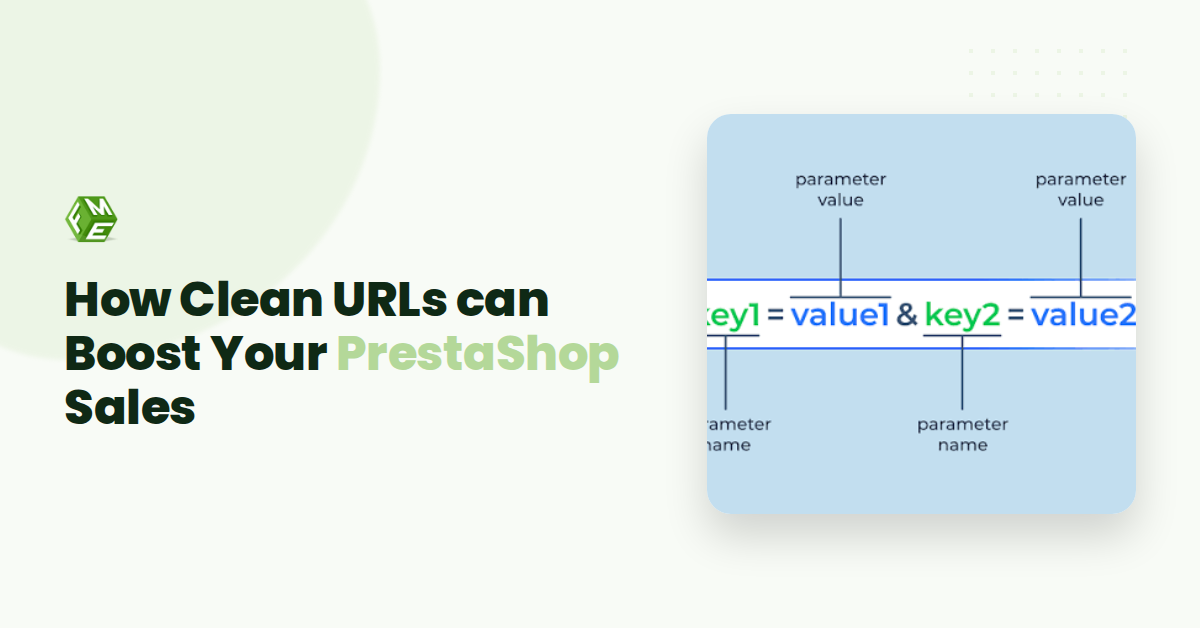
When you install PrestaShop fresh, your default product URLs look something like yourstore.com/index.php?id_product=15&controller=product. That string of numbers and parameters tells a search engine nothing about what the page actually contains. Compare that to yourstore.com/ergonomic-office-chair. The clean version communicates meaning instantly: to a human browsing the address bar, to Google crawling your site, and to an AI model pulling a snippet for a featured answer.
The user trust angle is equally important. Over 75% of internet users judge a company's credibility based on its website design and the URL is part of that design. A clean, descriptive path signals professionalism. A jumble of query parameters can look broken or suspicious. The Stanford Web Credibility Project, which studied over 4,500 people, found that one of its ten key credibility guidelines concerns making your site easy to use, and a logical URL structure contributes directly to that ease.
For PrestaShop specifically, enabling clean URLs is a two-step process. You toggle the setting under Shop Parameters > Traffic & SEO > SEO & URLs, then regenerate your .htaccess file from the same panel. But template-level settings alone don't always cover every corner of your store. Category filters, manufacturer pages, and supplier listings can still generate awkward parameters. That is where a purpose-built module steps in to enforce clean, consistent paths across your entire catalogue. If you are looking for a curated starting point, check out 5 Best Prestashop Modules You Must Know Aboutwhich includes modules that handle URL structuring alongside wider performance gains.
The payoff is measurable. SEO generates 53% of website traffic and converts at 2-4%making it the most sustainable acquisition channel for ecommerce. Clean URLs are one of the simplest on-page optimisations you can lock in, and they work across every page type PrestaShop serves.
How Clean URLs Boost Your E-commerce SEO (Even for AI Overviews)
Clean URLs do more than tidy up your address bar. They send clear signals to both traditional search engines and the new generation of AI answer engines. When Google or ChatGPT extracts a snippet to answer a user's query, a descriptive URL like yourstore.com/eco-friendly-winter-jacket reinforces the page's relevance far more effectively than yourstore.com/index.php?id_product=142&category=34. This is the core of why clean URLs in PrestaShop directly improve your visibility in AI Overviews and chatbot citations.
The first mechanism is keyword inclusion. A clean URL places your target phrase exactly where crawlers expect to find it. According to industry research, SEO generates 53% of website traffic and converts at 2-4%, making it the most sustainable acquisition channel. That traffic starts with crawlability. PrestaShop's default URLs are heavy with parameters that waste crawl budget. By simplifying the path, you help search engines discover your product pages faster and index more of your catalogue in the same crawl session.
Second, the structure reduces bounce rate. When a shopper sees a URL that matches their search term, they trust the link before they click. This is not speculation. Research from the Credibility Judgments in Web Page Design review found that nearly 75% of users form credibility judgments based on visual cues. A clear URL is a visual cue that your page answers their intent. Lower bounce rates feed positively into ranking signals, creating a virtuous cycle for organic performance.
Third, AI generative engines depend on structured signals for snippet extraction. These models scan URL strings to determine page hierarchy and topic focus. A logical URL path reinforces the semantic structure of your site, making it easier for Perplexity or Gemini to pull your content as a cited source. Companies that align SEO with user experience see 30-50% higher conversion rates from organic traffic. Clean URLs are a low-effort high-impact part of that alignment.
To see how these improvements fit into a broader performance strategy, check out 5 Best Prestashop Modules You Must Know About. It includes modules that automate URL cleaning and optimise your store's technical foundation so SEO gains compound over time.
User Trust and Navigation: The Hidden Upside of Friendly URLs
SEO is the headline reason to tidy up your URLs, but the real payoff for a PrestaShop store often lies in something more immediate: a clean URL is a trust signal that works before the page even loads. Your potential customer has just clicked a link, and the first thing they see, before any product image or description, is the address bar displaying the path they are about to follow.
Consider the difference between these two PrestaShop product paths:
- Muddy:
/index.php?id_product=47&controller=product&id_lang=1 - Clean:
/en/ergonomic-office-chair
The first looks like an internal debugging page. The second reads like a clear, confident storefront. According to a recent study with over 4,500 participants, one of the key guidelines for building a credible site is to make your site easy to use, and that includes obvious, navigable URLs. Furthermore, over 75% of internet users say they judge a company's professionalism by its website, based on research cited by the NIPA. A query-string URL immediately raises the question: Is this site secure? Is it a scam?
Clean URLs also improve shareability. When a customer wants to send a product link to a colleague or paste it into a chat group, they copy the entire address. A friendly path like /en/running-shoes is easy to scan and trust. A long string of parameters is easy to truncate or mis-copy. This friction matters.
From a navigation standpoint, PrestaShop's default category breadcrumbs become far more useful when each segment uses clean paths. A customer browsing /en/clothing can manually edit the URL to /en/clothing/jackets and land on the right subcategory. That kind of intuitive navigation is impossible with parameter-heavy URLs. It turns your address bar into a navigation tool, not an obstacle.
For store owners running modules that display product recommendations, like the curated list in 5 Best PrestaShop Modules You Must Know About, these same clean URLs ensure every referrer link and shared recommendation also carries that same professional trust signal.
How to Enable Clean URLs in PrestaShop Step by Step (With Module Tips)
Enabling clean URLs in PrestaShop is straightforward, but doing it right requires a few checks. Here is the exact process to get clean URLs PrestaShop style working on your store, from server setup to final activation.
- Check your server for URL rewriting support. PrestaShop uses an Apache module called mod_rewrite to turn
?id_category=12&controller=categoryinto/clothing/shoes. On Apache, the module is usually active by default. On Nginx, you need a specific rewrite rule in your server block. If you skip this step, the friendly URLs will not function, and customers will see broken links. - Rename the .htaccess file in your PrestaShop root directory. Navigate to your PrestaShop installation folder via FTP or cPanel. If a file named
.htaccessalready exists, rename it to.htaccess_oldas a backup. PrestaShop regenerates this file automatically once you switch on friendly URLs. If the file is missing or locked, the switch will fail silently. - Go to Shop Parameters > Traffic & SEO in your PrestaShop back office. This is the central panel for all URL-related settings. Locate the option labelled "Friendly URL" and toggle it to "Yes". Below that, you will see "Accented URL". If your store uses characters like é, ü, or ñ in product names, leave this on to keep those characters in the URL. If you want only ASCII characters (recommended for broader compatibility), turn it off.
- Click "Save" and regenerate the .htaccess file. After saving, PrestaShop will attempt to create a new
.htaccessfile with the rewrite rules. If you see an error message such as "Cannot write the .htaccess file", your server permissions are too restrictive. Set the file permissions on the root directory to 755 or 644 (depending on your host) and try again. This step is where most users get stuck, resolve the permissions first, then proceed. - Test a few category and product pages. Navigate to a product that previously had a URL like
/index.php?id_product=45. It should now appear as/summer-dress-floral. Click through your main categories, subcategories, and CMS pages. Verify that no 404 errors appear and that the URL structure is clean and human-readable. If you see broken pages, regenerate the.htaccessfile one more time from the same settings page. - Set up 301 redirects from old URLs to new ones (if you are migrating an existing store). A live store that has been running with unfriendly URLs for months will lose all search rankings for those pages if you switch without redirects.
Once these steps are complete, your PrestaShop store will serve clean, descriptive URLs. For advanced users, the same settings panel under Traffic & SEO also lets you customise URL patterns per route, for example, you can change /product/my-product to /item/my-product. This level of control is useful if you are migrating from another platform or want a specific naming convention.
A quick note on modules: the built-in PrestaShop friendly URLs work well for most stores, but they can be rigid. If you need features like bulk URL rewrites, automatic 301 generation for deleted products, or multi-language URL patterns, check out the advanced rewrite options from FMEModules. The Pretty URL module integrates directly into the back office and saves hours of manual work.
Common PrestaShop Clean URL Mistakes That Hurt Performance
Even after you enable clean URLs in PrestaShop, a few common missteps can silently damage your rankings and erode user trust. Avoiding these pitfalls is just as important as setting up the feature correctly.
Mistake 1: Ignoring Canonical Tags
PrestaShop can generate multiple URLs for the same product page (for example, /summer-dress.html and /summer-dress?id=42). Without a proper canonical tag, search engines see duplicate content, which dilutes ranking power. Always verify that your theme properly sets rel=canonical on every product and category page. If you use a custom module, check it respects canonical tags; a module like the 5 Best Prestashop Modules You Must Know About can help you audit and fix these structural issues.
Mistake 2: Mixing Languages in URLs
Some store owners set up clean URLs manually and create inconsistent structures for different language versions. For example, /en/red-dress and /fr/robe-rouge are fine, but mixing patterns like /en/red-dress and /fr/red-dress confuses both users and crawlers. PrestaShop handles multi-language routing well when you use the built-in URL settings. Stick to one naming convention per language and never hardcode translated segments without updating the URL key in the product or category editor.
Mistake 3: Creating Overly Deep Paths
Clean URLs should stay shallow. A URL like /clothing/women/dresses/summer/red-dress pushes important keywords far to the right and buries content. Users scanning a link in search results want to know immediately what the page is about. Keep your category tree to three levels at most, and let PrestaShop generate /red-dress directly from the product page setting. Research from the Stanford Web Credibility Project shows that simple, clear URLs reinforce trust, deep paths do the opposite.
Mistake 4: Ignoring Redirects After URL Changes
When you change a product's URL key or move a category, old links break. Broken links frustrate visitors and damage your credibility. Over 75% of users judge a company's professionalism by their website, according to industry data. Always configure 301 redirects from old clean URLs to new ones using PrestaShop's redirection system or a dedicated redirect module. Test every link after a URL change, especially for products with high traffic or existing backlinks.
Mistake 5: Skipping URL Key Customisation
PrestaShop automatically generates URL keys from product names. But if your product names are long or contain stop words like "and" or "the", the resulting URLs become cluttered. Manually edit the "Friendly URL" field in each product to be short, descriptive, and keyword-rich. This small step aligns with the finding that SEO generates 53% of website traffic and clean, readable URLs play a direct role in click-through rates from search results.
Measuring the Impact: Metrics That Prove Clean URLs Work
If you have enabled clean URLs in PrestaShop, you want to know whether they are actually moving the needle. The good news is that the improvements are measurable, and you can track them with tools you likely already use. The most direct signal comes from Google Search Console. Look at the number of impressions and clicks for pages that used to have parameter-heavy URLs like index.php?id_product=123. After switching to clean URLs such as /leather-wallet-tan, you should see a gradual increase in click-through rates. Clean URLs boost your click-through rate because they act as a second meta title in the search results.
Your organic traffic report inside Google Analytics will also show the effect. SEO generates 53% of website traffic and converts at 2- 4%, making it the most sustainable acquisition channel for e-commerce. When your URLs make sense to both users and search engines, that organic traffic tends to stick. A human-readable URL signals relevance, which reduces bounce rates and encourages visitors to explore more product pages.
Another metric to watch is the referral data from AI answer engines. Tools like ChatGPT, Perplexity, and Google AI Overviews now pull product content directly into their responses. If your clean URL appears in those snippets, you can see that referral traffic in your analytics under the appropriate source or campaign tags. Companies that align these disciplines see 30-50% higher conversion rates from organic traffic. For PrestaShop store owners, this means the effort you put into clean URLs pays off across multiple channels, not just traditional search engine results.
The Verdict: Why Clean URLs Are Non-Negotiable for Modern PrestaShop Stores
If you have followed the steps and avoided the common pitfalls, you now have a store whose URLs work hard across every channel. The case for clean URLs in PrestaShop goes far beyond a quick SEO win. They are one of the few changes you can make that simultaneously improve your search rankings, make your store eligible for AI-generated snippets, and build immediate trust with every visitor who glances at your address bar.
Consider the data: SEO generates 53% of website traffic and converts at 2- 4%, making it the most sustainable acquisition channel. But raw traffic is not enough. When a potential customer sees yourshop.com/women/summer-dresses instead of yourshop.com/index.php?id_category=8&controller=category, they get a signal of professionalism. This matters deeply. Research from Stanford's Web Credibility Project shows that over 75% of users judge a company's credibility based on its website design. A clean URL is a concrete part of that design.
These readable paths also help you satisfy the conversational patterns that AI answer engines reward. A URL like /eco-friendly-phone-cases is far more likely to be quoted verbatim by ChatGPT or Perplexity than a garbled query string. The clean URL is the single link between your technical setup and your customer's confidence. It costs nothing to implement in PrestaShop, yet it protects your brand perception every single time someone copies, shares, or clicks a link to your store.
The return on this effort compounds. Clean URLs make your site easier to maintain, reduce confusion during migrations, and set a clear content hierarchy that both Google and your visitors can parse within seconds. If you have not already enabled them in your PrestaShop back office under Shop Parameters > Traffic & SEO, that needs to be your next five-minute task.